

MacBook Pro With Penryn CPU & MultiTouch: Is It Worth An Upgrade?
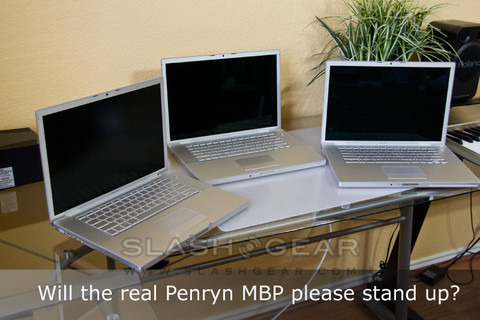
After three generations of MacBook Pro, Apple have had plenty of time to refine their flagship super-strength laptop. However, users have also had time to refine their expectations; with this latest update to Intel's 45nm Penryn CPU and a switch from CCFL to LED screen back-lighting (for the 17-inch; 15-inch has been using LED since last revision with Santa Rosa platform), the MacBook Pro is trying to be both powerful and efficient. SlashGear sat down with the 2.5GHz, 15-inch version – with 4GB DDR RAM and 512MB VRAM – and its 2.2GHz predecessor (Santa Rosa), to see both whether the changes are worth the upgrade for existing owners and, perhaps more importantly, whether the MacBook Pro keeps its position (arguably) at the top of the notebook pile.
First off, the full change sheet. Obviously the biggest difference is the processor, with the latest MacBook Pro switching from Intel's 65nm Santa Rosa CPUs to its 45nm Penryn chips. Our last-gen comparison machine has a quarter of the video RAM, too; just 128MB versus the new model's 512MB. Apple have also used LEDs to backlight the screen as in the MacBook Air, rather than the power-hungry CCFL used previously, and the ultraportable's MultiTouch capabilities have been carried over too, albeit in a touchpad the same, smaller size as earlier Pros. Finally, the keyboard has been slightly re-fettled, with the F-keys as seen on the Air.
MultiTouch works, certainly, though the reduced size of the pad compared to the Air does force you to gesture slightly differently. Apple would still have it that they've put the same interface from the iPhone onto their notebook range, and while being able to rotate images, zoom and flick is all well and good, it's certainly not as intuitive as it is with their cellphone's touchscreen.
Earlier MacBooks couldn't really be accused of having dim screens but, as with any LED-backlit model we've seen, the difference is always impressive. It's difficult to do a direct comparison, but it was comfortable using the new MacBook Pro with the brightness turned down a few extra notches below the old model.
It's Penryn that makes the biggest difference, though. Not so much in speed – although there was an 11-percent performance increase over the 2.2GHz Santa Rosa – but in how cool the notebook runs and how efficiently it manages power. On the lap, the new Pro felt more comfortable than the old, despite the Penryn CPU itself getting hotter than the Santa Rosa under load.
All that adds up to saved battery power, and this is where the Penryn-powered MacBook Pro really impresses. With light web browsing via WiFi, we managed 5.2hrs of use before the battery died – even the MacBook Air didn't last that long, and it's actually more than the 5hrs Apple quote in their own figures. Apple have toughened up their battery tests, but are claiming that generally you get an extra half-hour from the new CPU and the same again from the new backlight.
At the start, we asked whether the updates were enough to maintain the MacBook Pro's admirable reputation, as well as whether it made a convincing argument for an upgrade. The former is certainly true: all the old MacBook Pro strengths are there unchanged, and the addition of Penryn, LEDs and MultiTouch only add to them. The latter, though, is harder to judge. An hour, at most, above an earlier Pro's battery life is perhaps not quite strong enough a reason for someone with, say, a one-year-old MacBook Pro to upgrade; similarly, MultiTouch is nice but certainly doesn't rank among must-have functionality. To such a buyer, we'd say wait until Apple's fifth range refresh; to anyone else, we'd wholeheartedly recommend the Penryn MacBook Pro.
[rating:4.0/5]
Unboxing