LCD MacBook logo tutorial
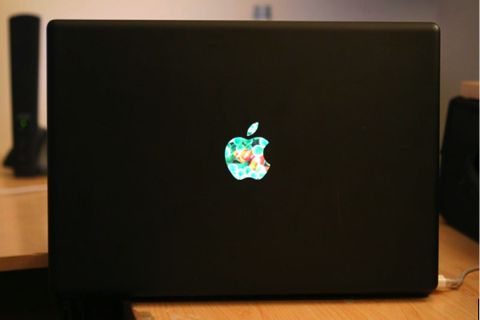
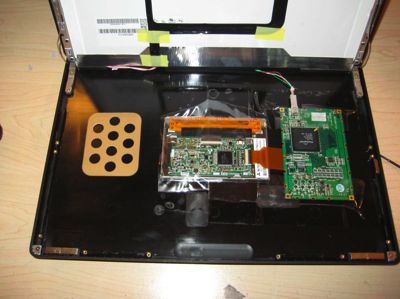
After astounding, delighting and generally mesmerizing all around with his LCD MacBook Logo mod, Eddie Zarick has bowed to public demand and put together a tutorial explaining how he did it. As you might expect, it's not exactly a surprising system – take USB LCD panel, squeeze it into lid, hope everything works – but if you're more than a little anxious about which bit to solder to where, it's useful stuff.
The mod uses a Century Japan 4.3-inch LCD-4300U display, which connects via USB and can be picked up for around $200 on eBay. It also needs a clear Apple logo – you can de-frost your existing MacBook logo, or use one from an iBook or Powerbook, which used clear versions.
If you do it right, the LCD shows up as a second monitor (thanks to the USB LCD Mac drivers from DisplayLink). Unfortunately it's not been all good luck for Eddie – after two sales fell through on eBay, he's now thinking of just keeping his eye-catching MacBook.