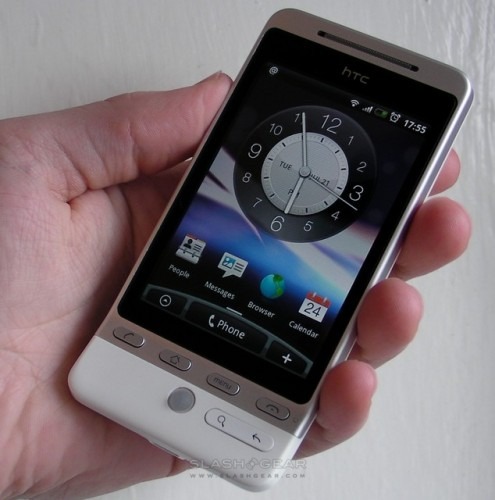
There’s no underestimating the appeal of the HTC Hero; since we shot our unboxing video and preliminary hands-on at the end of last week it’s been watched more than 300,000 times. The third Android device to reach the market, the Hero promises not only an updated camera and design, but HTC’s latest work in user-interface, HTC Sense. Can the Hero live up to the hype? Check out our full review to find out.

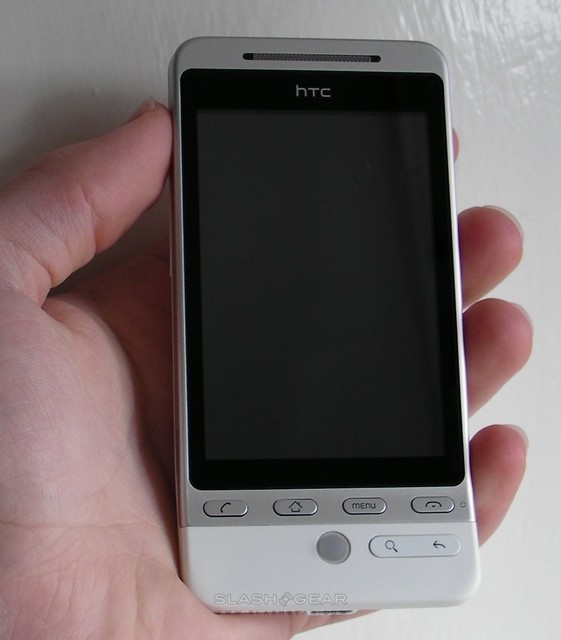
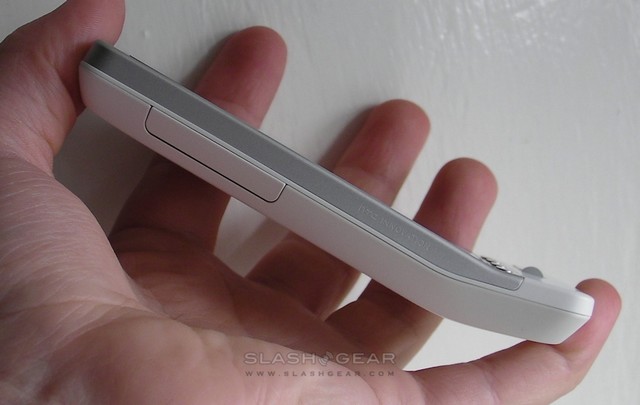
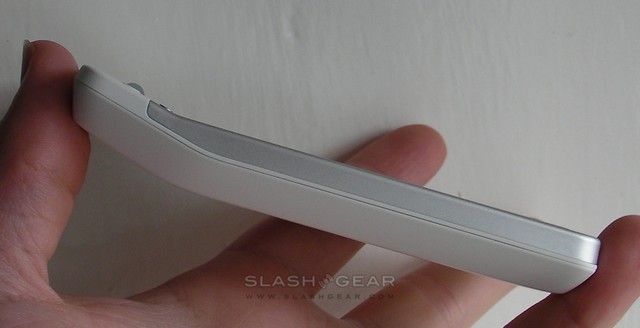
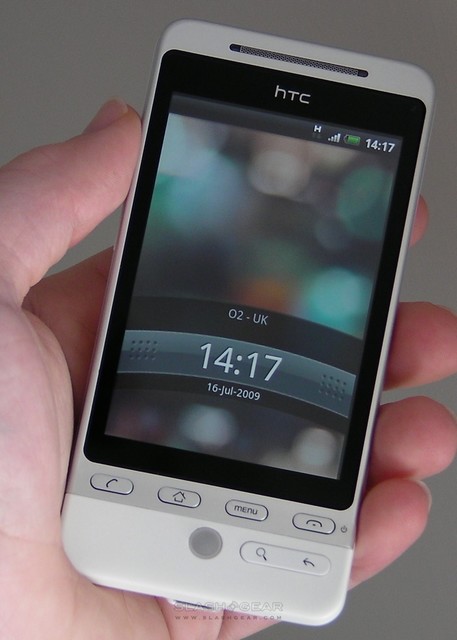
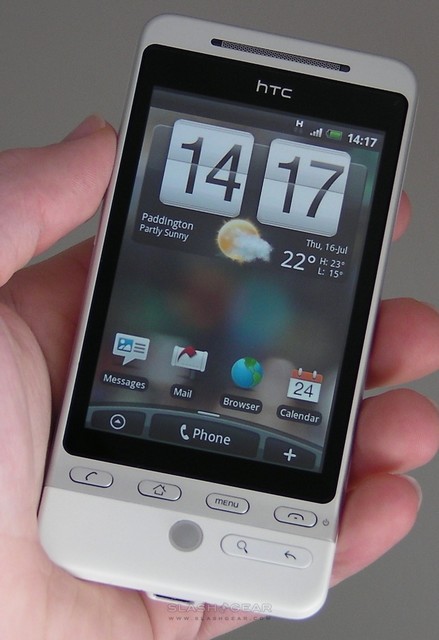
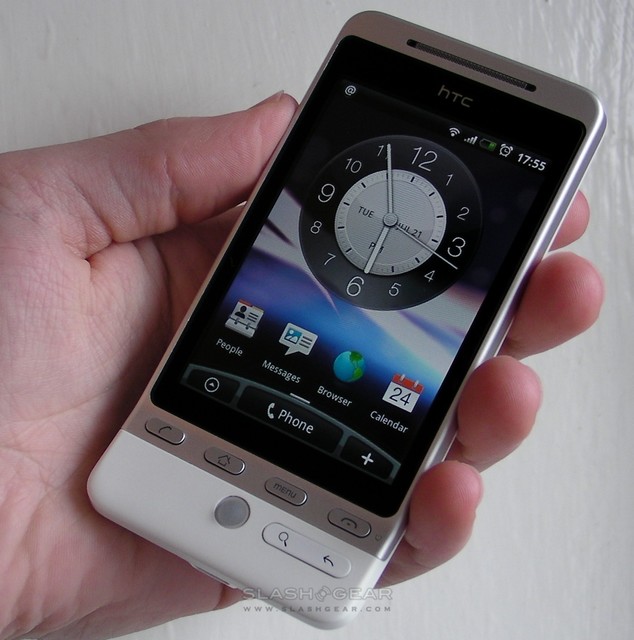
From the outside, the Hero blends elements of both the device that have gone before it; the smartphone is size-wise more in line with the Magic, but with some of the angular style of the original HTC Dream (aka the T-Mobile G1). It’s a thin handset, measuring 112 x 56.2 x 14.35 mm, and feels even thinner thanks to the sharp beveling of the edges. Our review unit is white, but depending on carrier there will be charcoal and black versions of the Hero, each with the subtle brushed-metal display surround. It’s a distinctive design, but not unduly dramatic, and while we’ve heard complaint about HTC’s persistence with the angled “chin” section this does make holding the phone and using the buttons and trackball more straightforward.
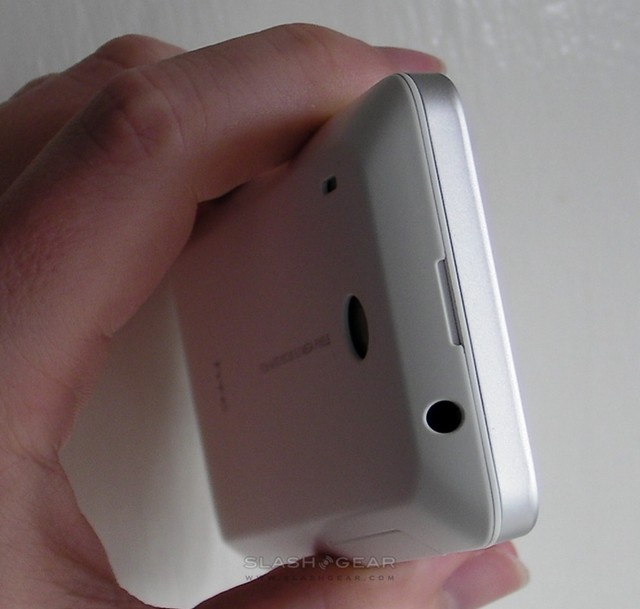
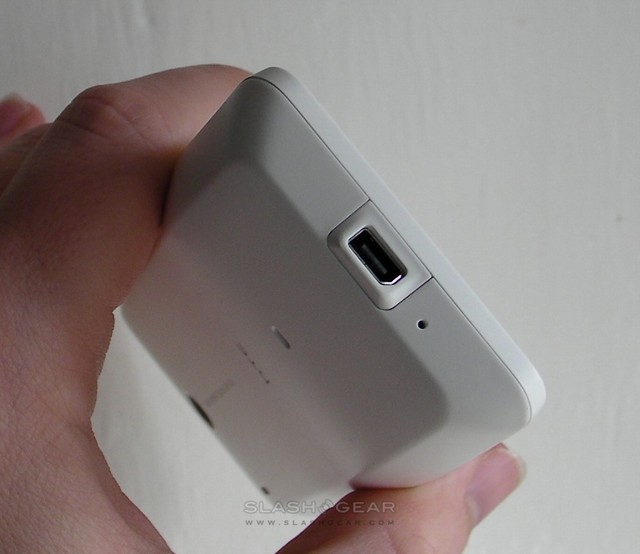
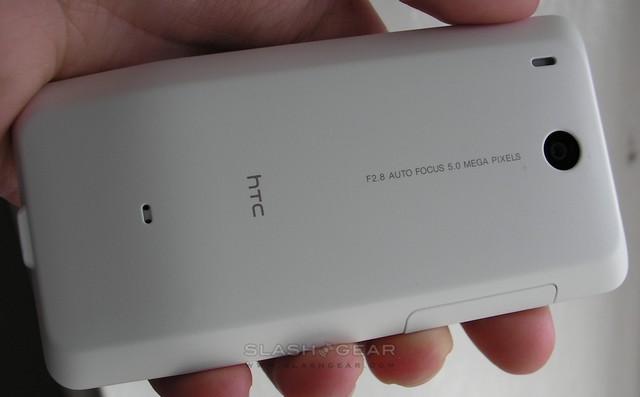
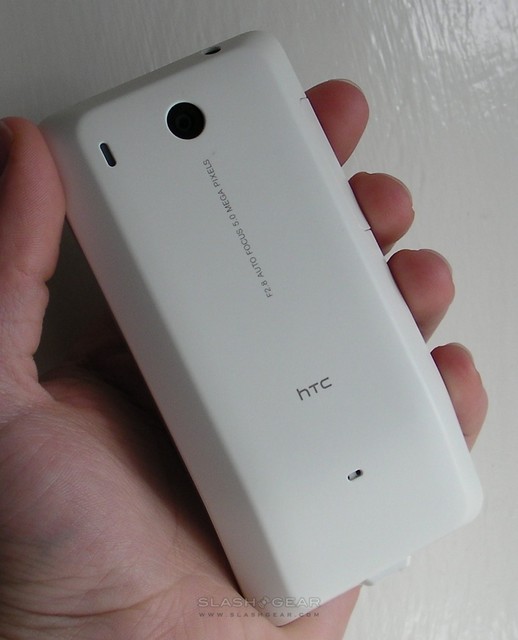
Up top there’s a welcome addition to an HTC Android device, in the shape of a 3.5mm headphones socket, while on the base there’s the company’s own ExtUSB port (which is compatible with standard mini-USB). On the left-hand side there are surprisingly large volume controls, while on the back there’s the 5-megapixel autofocus camera (which still lacks a flash of any sort). There’s no dedicated camera button, either.

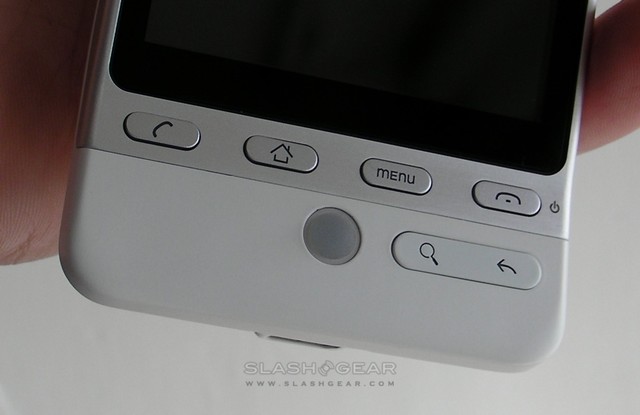
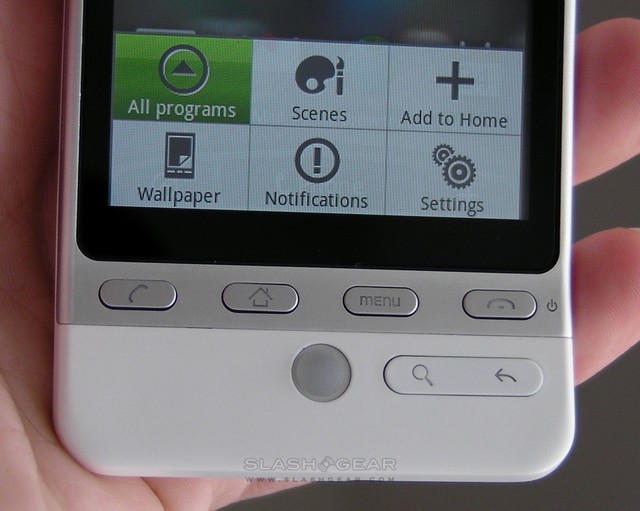
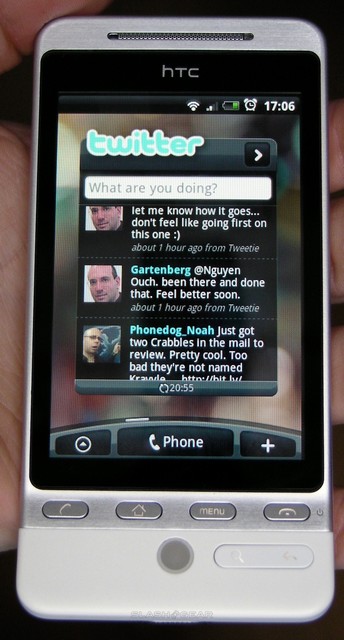
Up front, there’s a 3.2-inch capacitive touchscreen running at 320 x 480 HVGA resolution, sitting above the usual six Android buttons: call, home, menu, call-end, search and back. The trackball from the Dream and Magic is also present, and it lights up when you receive an SMS or phone call. Above the display is the long, narrow speaker-grill, flanked on the left by an ambient light sensor and on the right by a two-color LED that flashes green to let you know a message has come in, and red when charging. The whole handset is covered in Teflon, which HTC say will better resist scratches, fading and staining; its matte finish is a tactile and aesthetically welcome departure from glossy devices.
Prise off the back cover – something which takes a little bravery to do, as it’s a tight fit – and there’s a microSD card slot that can be accessed without removing the battery, together with the SIM slot and 1,350mAh Li-Ion power pack. The whole thing weighs 135g.
On the inside, things are far more similar to HTC’s existing Android range. The Hero has the same 528MHz Qualcomm processor, paired with 512MB ROM and 288MB RAM, as its siblings, together with 900/2100MHz HSPA/WCDMA supporting up to 7.2Mbps downlink and 2Mbps uplink speeds (network depending). There’s also 850/900/1800/1900MHz GSM/GPRS/EDGE; we’re yet to hear any announcement regarding a US-spec version of the Hero. Other connectivity includes WiFi b/g, Bluetooth 2.0+EDR with A2DP support, and of course USB 2.0, plus there’s A-GPS, a digital compass and accelerometer.
Of course, what makes the Hero particularly special is the work HTC have done on its user-interface, under the auspices of their “HTC Sense” project. Sense is the culmination of three years of UI work, that has taken in multiple iterations of TouchFLO 3D on Windows Mobile across the years. Given that TouchFLO 3D could arguably be credited with keeping the aging Microsoft mobile platform as relevant as it has been for the past twelve months or so, that’s no small lineage. Sense aims to take the basic Android OS and make it not only more visually appealing but functionally more immediate, bringing commonly-used services and features to the fore and, in no small way, making the fledgling Google platform more engaging “out of the box”.
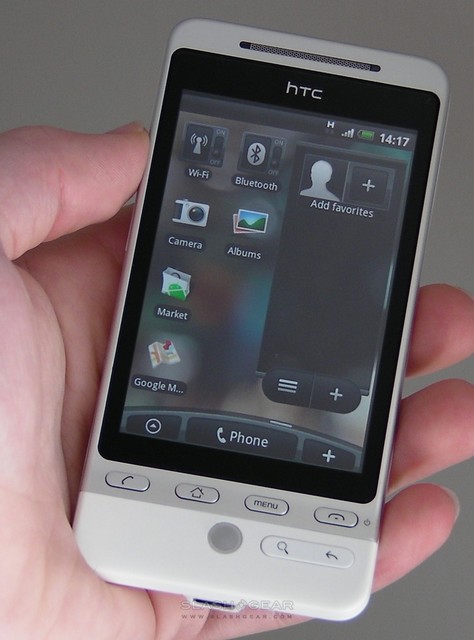
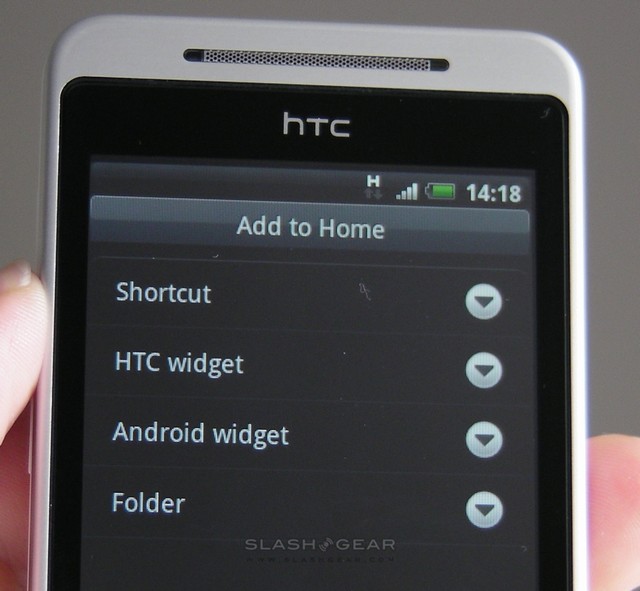
HTC’s first, and perhaps most obvious way of doing that is through widgets. Previous Android devices have had a few widget options – search, picture frame, music, etc – and those are still present, but HTC introduce fourteen of their own, along with five “toggle” controls for connectivity options. These range from bookmarks and calendar, through a new mail app and messages app, to contact shortcuts, a Twitter app and a new weather app. As for the toggle switches, they cover airplane mode, Bluetooth, GPS, cellular connectivity and WiFi, and present an easy way to lock-down the Hero or simply shut off a potential battery glutton.
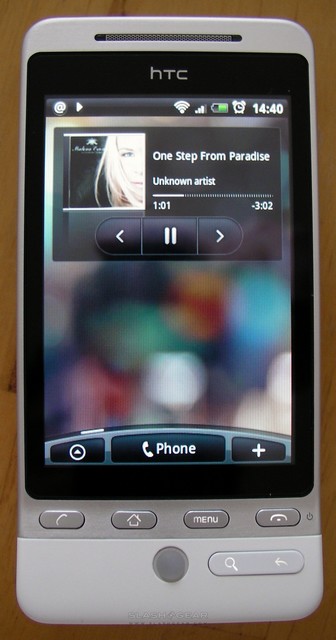
To accommodate all this flexibility, HTC have increased the number of homescreen panes from the usual three to seven; you can switch between them with a horizontal swipe across the touchscreen in either direction, or using the trackball. Your position in those panes is discretely shown by the arc at the base of the homescreen, which also has a direct shortcut to the phone keypad, main menu and widget control panel. Pressing the home hardware button also takes you directly back to the center pane, so it’s always straightforward to navigate your way around. HTC’s widgets share space with the usual shortcuts, which can be to apps, folders or bookmarks, and many of them have two different sizes to choose from. The music widget, for instance, has a small, basic option which will fit on a pane with other shortcuts, or a larger version which shows more track detail, album art, and takes up a pane to itself.
Seven panes, then, can be occupied relatively quickly, but to get around that HTC have added Scenes support to the Hero. Accessed by hitting the Menu button from the homescreen, Scenes basically allows for multiple layouts which the company expects will be used to differentiate between workday and social use. As standard the Hero comes preset with the standard HTC, Social, Work, Play, Travel and “Clean Slate” (blank) layouts, which you can leave as-is or modify and save with your own names. Each can have a different number of widgets, different wallpapers and other personalization. Or, of course, you can ignore them altogether and focus on just one standard Scene; as with the slide-to-unlock, which can be replaced by the standard Android pattern lock, Sense is about giving you more options not taking them away.
Each widget generally acts as a gateway to its own app, too, so while they’re functional in their own right – you don’t have to leave the homescreen to browse through your Twitter message stream, for instance – you’re also one touch away from a more comprehensive experience. To stay with Twitter, the client – called Peep – shows the full message list and allows you to post a new tweet from the homescreen, but tapping into the app-proper brings up separate panes in which you can view your “@” replies, direct messages and favorites. It’s also linked into your location, so you can send geographic updates letting people know whereabouts you are, and there are options for update frequency (number of tweets to download, up to 250; frequency of updates, from daily through every 5mins and manual) and even a choice of photo host, picture quality and URL-shortening service.
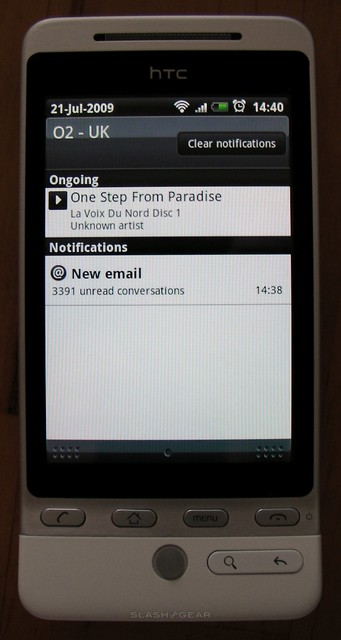
Peep works well, spawning a little bird icon into the notification bar when there are fresh messages, just as you would get with a new email. New messages have an easy photo upload button, which offers the choice of an existing picture from the gallery or to take a new shot with the camera then and there, and you can also tap the location button to tweet your geographical position as a link to a map, custom text or plain latitude/longitude. Our one gripe is the seeming absence of any way to quickly paste in Twitter contact names, beyond physically typing them out; an “insert follower username” option would make this much easier. Still, a long-hold on any tweet will bring up a menu for reply, send direct message, retweet, add to favorites or show profile.
A much-welcomed addition to an Android device is Microsoft Exchange support, and HTC have provided a new Mail app on the Hero to cater for it. As you might
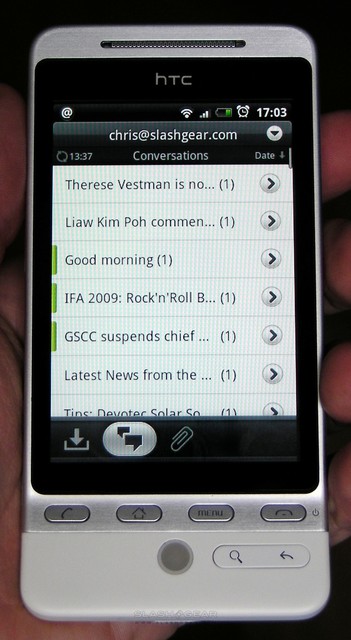
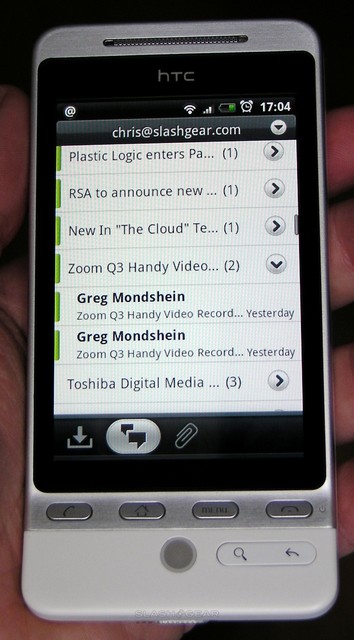
expect, it uses ActiveSync to wirelessly synchronize, and offer push-email from hosted Exchange accounts. The Mail app also supports POP, APOP and IMAP, and can have multiple simultaneous accounts established; download frequency can be set from 5 minutes through to daily, plus manual, and you can choose how many days of messages you want on your Hero and the maximum size of each message (there’s an option to download the rest in each curtailed email). Once set up, different accounts can be switched between via a drop-down menu at the top, while a sliding selection marker at the bottom of the screen takes you between three main views. The first lists all emails by date and individually; the second threads together email conversations; the third lists only emails with attachments.
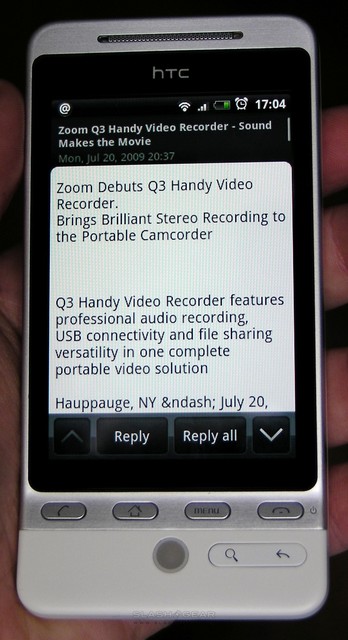
The most obvious comparison to be made is with Android’s native GMail app, also present on the Hero. While the screen size devoted to messages in each app is different, both show at most seven email headers at any one time; GMail obviously conversation-threads as standard, and tags one message after another, while HTC Mail shows one email at a time with up/down buttons to flip between messages in a thread. It’s arguable as to which system works better; those comfortable skipping down long conversations via touchscreen swipes will most likely prefer the GMail app, while the HTC offering does make it easier to get to the start of the next message. Happily, since GMail offers IMAP support for their accounts, you can pick between the two clients depending on your UI preference; remember, though, that Mail won’t let you search the GMail server like the native app will.
Of course, the major difference is that Android’s GMail app has no homescreen widget, only a shortcut, whereas HTC Mail does. You can choose to devote a whole homescreen pane (there’s no cut-down mini-widget, though there is a simple shortcut button) to Mail, and from there flip through the stack of emails, bin them, write a new message or go directly to the inbox. There’s no HTML support in the widget, only plain text, but it’s certainly enough to see multiple lines of an email and choose whether it’s worth heading into the app proper to do anything about it.
The new SMS app works in a similar fashion, grouping messages by sender and presenting them in a conversation with icons – if present – from the contacts app. HTC provide a number of quick-text inserts (such as “Where are you?” and “I’m running late”) together with the ability to easily attach pictures, video, audio, location data, a vCard contact file, vCalendar appointment, or to create a new attachment. This latter option takes you to the camera, camcorder, audio-recorder or slideshow apps, allowing you to film a clip, etc, then attach it straight to an MMS. As for the accompanying widget, this uses a Rolodex-style presentation to flip through the most recent messages from a contact on the homescreen, together with a shortcut to write a new message.

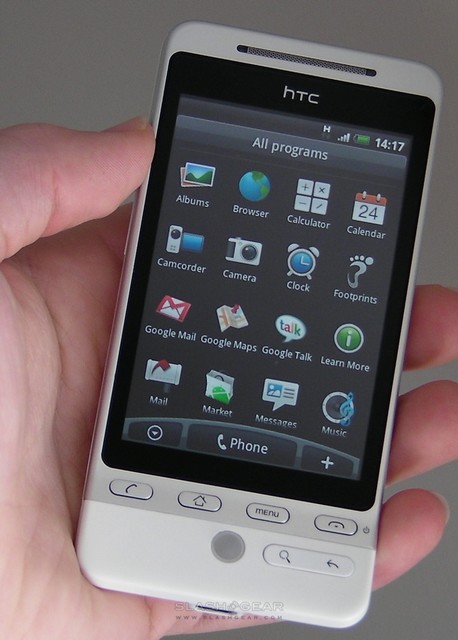
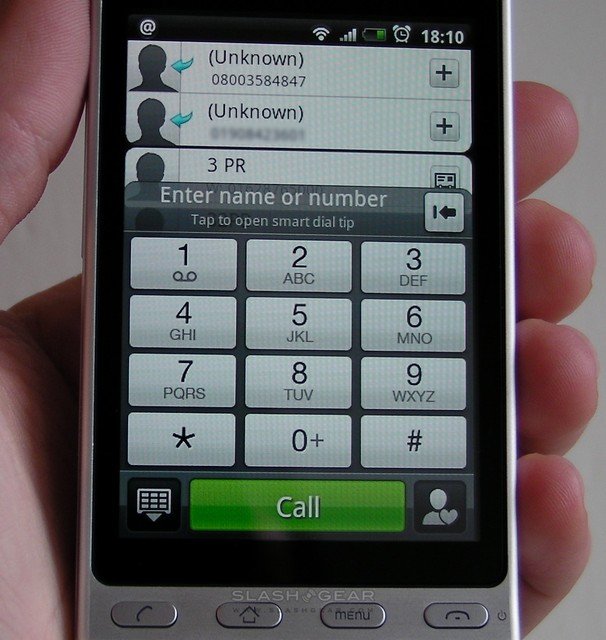
Moving to the Phone app, this can be accessed via the listing in the main programs menu or by pressing the shortcut button at the base of the homescreen. It opens by default with your recent calls list overlaid with a number pad; tapping the buttons either enters the number or uses T9 to search through your contacts for a matching name. Alternatively, minimizing the number pad shows the contacts list itself; the Menu button gives shortcuts to the contacts app proper, your full call history, favorites and speed-dials, as well as settings. Call quality is fair, with the Hero relatively tenacious with a signal and no problems for either party with volume or noise. The side volume keys adjust earpiece volume when in a call or ringer volume (down to vibrate and silent) otherwise; during calls the number pad is a button-press away, while the Menu button brings up options for speakerphone, putting the caller on hold, adding another party, launching the contacts app and muting the microphone.
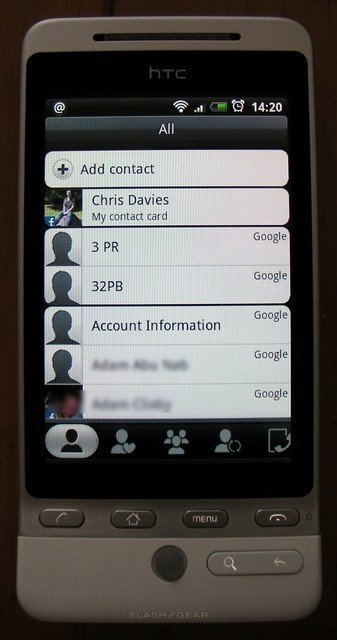
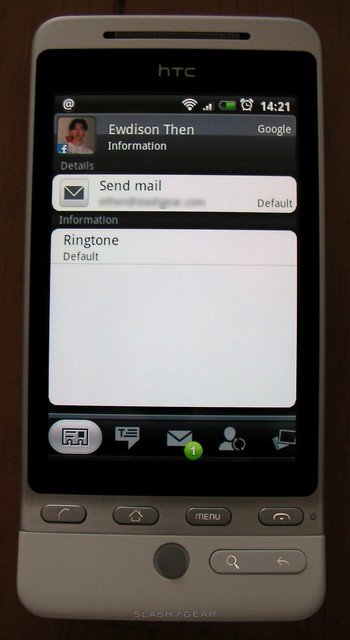
HTC are proud of the work they’ve done with Sense when it comes to contacts, on the Hero called People, and they’ve good cause to be. As with other apps, People is navigated primarily by a sliding bar at the base of the screen, which takes you from the full contacts list, to favorites (with the option to add a new favorite), to groups, to Updates and Events (more on this in a moment) and to call history. The Menu button brings up options to add or delete a contact, view an entry, search through People, import from SIM and synchronize Exchange contacts
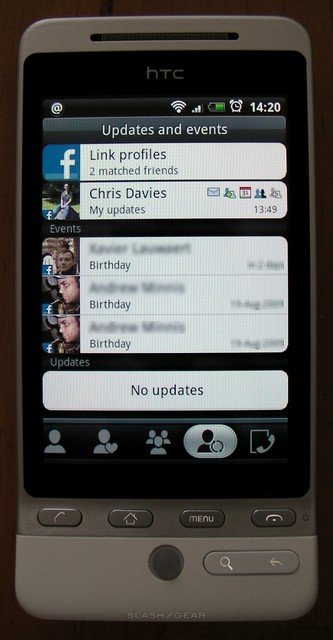
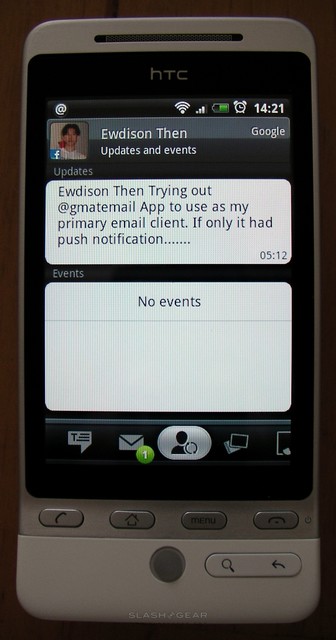
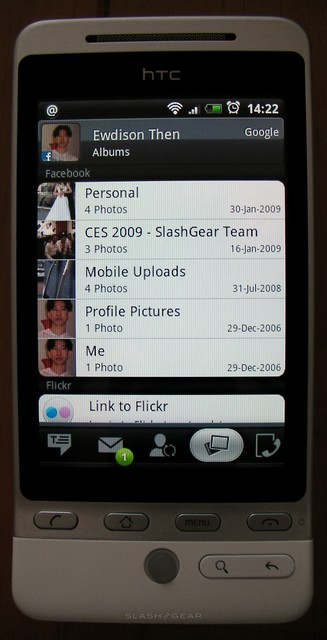
What elevates People above and beyond the standard Android address book is its integration with Facebook and Flickr. By entering your login details for one or both, People automatically tries to match up contacts you have on those networks with entries in your address book. Doing so pulls in their latest Facebook status update, photo galleries from both sites, their birthday and email address, and their avatar photo which is used as a contact photo. If People can’t match them up correctly – we had a few different names in our lists, which confused it – then you can manually link profiles. The “Updates and Events” tab shows any new changes from the two sites, such as upcoming birthdays and new galleries; tapping into an individual contact shows the same for just that individual, together with panes for any messages, emails and calls between you and them.
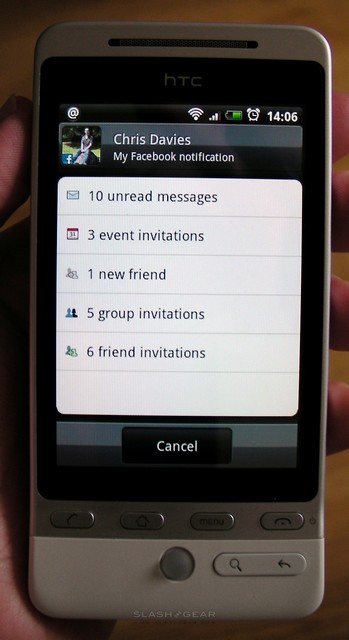
It all works surprisingly well, and is certainly a straightforward way to fill in contact photos and missing birthdays across your address book. There’s little lag in updating, and by tapping your own entry at the top of the contacts list you can see your own Facebook and Flickr notifications, handling any unread messages, event invitations, friend requests and other alerts. We wish – given the work HTC have obviously done on Peep – there was a way to link in Twitter accounts in a similar fashion to Facebook, but currently there is not.
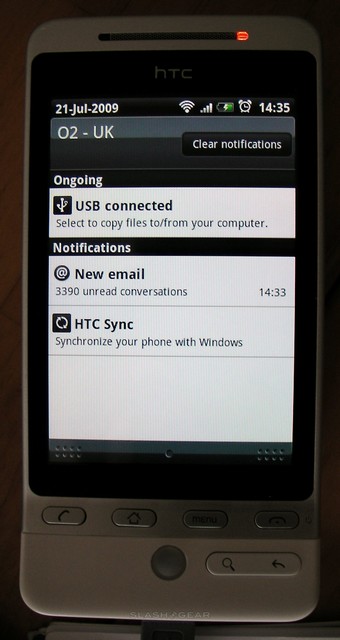
Plugging the Hero into a PC brings up the options to either treat it as a mass storage device or to launch HTC Sync. This latter app, available as a free download though only for Windows PCs, allows you to synchronize your Outlook or Windows Address Book (i.e. Outlook Express contacts) with the Hero, rather than using a wired ActiveSync connection.
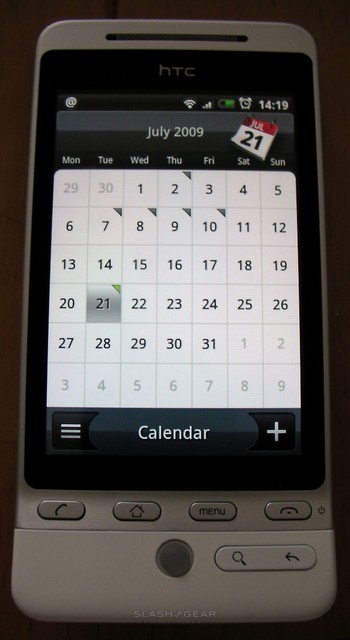
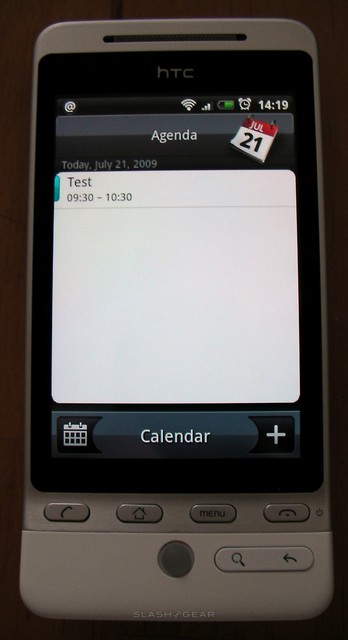
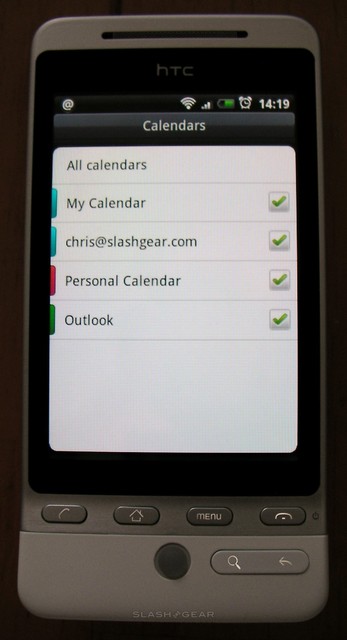
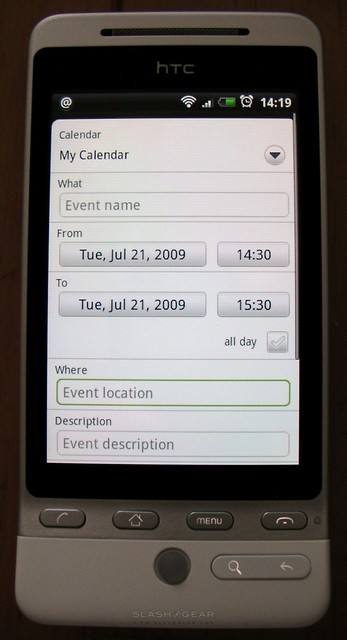
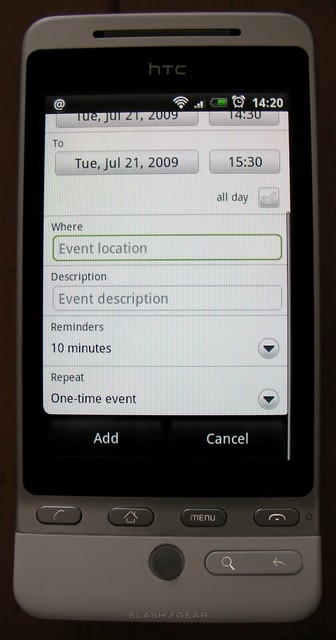
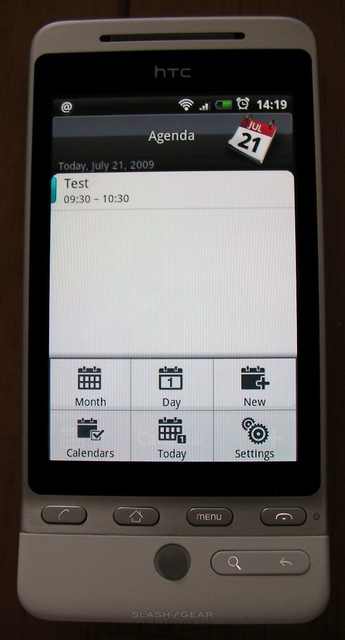
Unfortunately HTC Sync doesn’t seemingly manage your calendar entries in the same way, which is a shame because the new Calendar app on the Hero is a generally pleasant way to get organized. It defaults to a month view (as does the large homescreen widget; the small version has a single line of the next upcoming appointment) but offers day and event-list views via the Menu button. There’s also a Calendars button, which allows you to switch between various different agenda sources: Outlook (wirelessly via ActiveSync) and any Google Calendars you might have. These can be set to all simultaneously display (with different color coding) or toggled off to only show particular agendas.
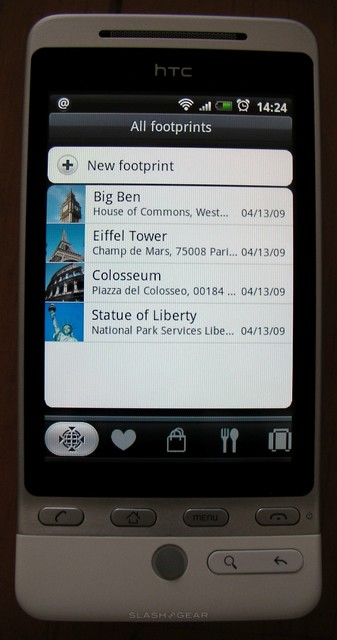
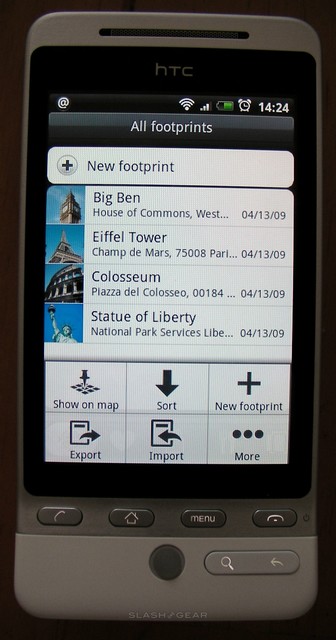
If the Calendar is intended to organize your life moving forward, then HTC Footprints is more about looking back. A feature of certain GPS-enabled Windows Mobile devices from HTC’s stable, Footprints basically allows you to snap a photo with the Hero’s camera, geotag it, and then add various details including phone number, website, a voice memo, star rating and notes. Finally you can categorize it – shopping, dining, etc – and share them via SD card. It’s a straightforward system, and if you regularly travel then it’s handy to make a note of favorite restaurants and the like, but we wish there was a simple way to share Footprint entries online with others.
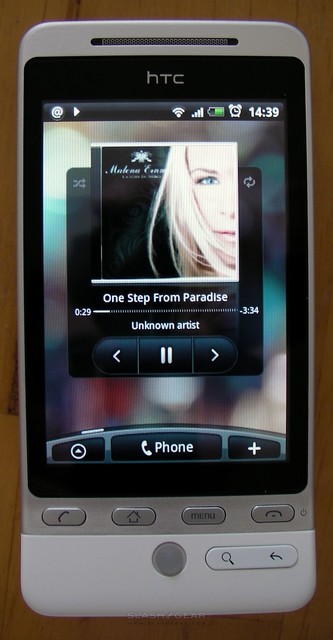
Loading up content for the Hero’s media app is easiest done via a USB connection, and HTC supply a suitable cable in the box. The smartphone mounts the microSD card as a removable drive, and you can drag and drop audio and video files straight across. Files on the microSD card are automatically registered into the app, which is a basic though functional PMP. There’s the usual shuffle, repeat and playlist functionality, together with sorting tracks by artist, album and other ID3 data, and you can also set files as the active ringtone directly from the mediaplayer app. Audio quality from the built-in speaker is loud if not especially refined, but thankfully we’ve no complaints with quality via the 3.5mm headphones jack, particularly if you do the sensible thing and plug in your own headphones rather than those HTC supply. During playback the volume keys control the music, rather than ringtone volume.
As for the impact of music playing in background on other apps, we noticed a very small amount of lag introduced, particularly when loading a data-heavy application such as a full inbox or lengthy contacts list. Happily there was little impact on web browsing speed, with page panning and zooming as smooth as usual. In fact, our general impression of the Hero’s performance has been very good, with the Sense modifications doing little to slow the smartphone down.
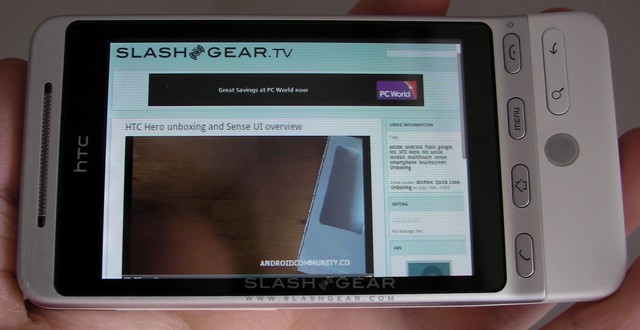
Turning to the browser, the biggest news here is the addition of multitouch support for pinch-zooming together with Flash playback. The app is generally the same as on previous Android devices, only instead of zoom in/out buttons you can close and spread your fingers to manipulate the page. It’s a far more natural way of browsing, and allows for much finer control, and frankly it’s about time an Android smartphone supported it (officially). Double-tapping to reformat text works well, and the trackball steps neatly between links for when navigating more crowded pages. Multiple browser windows can be opened, though we did experience a couple of odd moments where background pages were closed without warning.
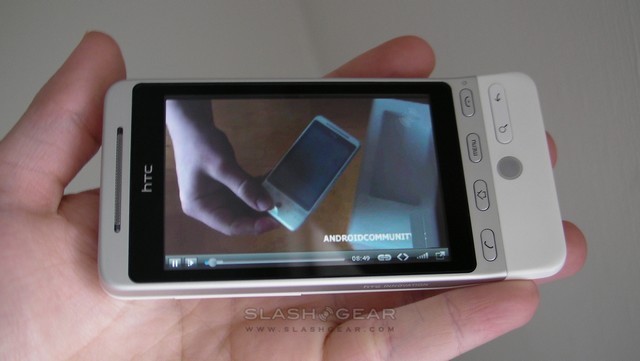
As for Flash support, this instantly kicks the HTC Hero a step ahead of many other smartphones on the market. Although there’s HTC’s usual excellent YouTube viewer preloaded on the phone, you can now stop by the full YouTube site and watch in-page streaming video too. To be honest, the layout of the standalone app actually makes it more usable than YouTube’s site, but the Flash support comes into its own when you encounter in-page videos on news and review sites. In our tests, only Vimeo videos failed to load, though connection speed also has a significant affect on overall browser performance when buffering footage.

Flash is more than just video, though, and so we stopped by some graphics and animation-intensive MySpace pages to see if we could overload the Hero’s browser. Unfortunately not every element loaded; the music player many users have underneath their profile information was the most obvious error, telling us we needed an upgraded version of Flash. Stepping over to a Flash game site proved disappointing too, with games taking very long periods to load and then usually proving uncontrollable in the absence of a keyboard or mouse. It’s certainly possible that some titles will be better suited to the Hero than others, mind.
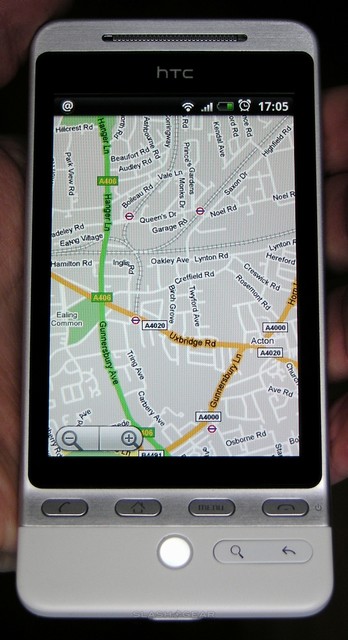
With pinch-zoom supported in the Android browser, it was a surprise to find that the same functionality didn’t work in Google Maps on the Hero. Instead, you’re left with the same zoom in/out buttons as usual. The Hero has the same Street View support as earlier Android phones, accessed by tapping and holding a point on the display and selecting it from the pop-up menu. There are directions for driving and walking, but no voice-prompts so in-car use isn’t advised.

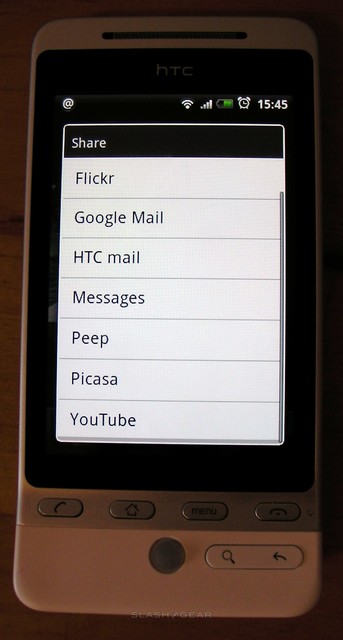
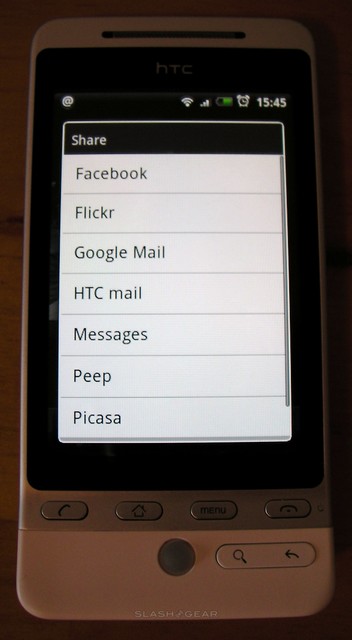
The Hero’s camera is a step up, offering 5-megapixels with autofocus though no flash. It records both stills and video, toggled between with a simple on-screen button, and has basic white balance, brightness and flicker adjustment. There’s also a self-timer and optional geotagging. Photos are captured as JPEGs while video can be H.263 or MPEG4; once taken, they can be uploaded to Facebook, Flickr, Picasa or YouTube, or sent via GMail, HTC Mail, MMS or Peep (Twitter). Quality, meanwhile, is reasonable though not likely to displace dedicated point-and-shoot digicams or some of the high-end imaging featurephones we’ve seen in recent months. Still, it’s a welcome step up from the Dream and Magic.
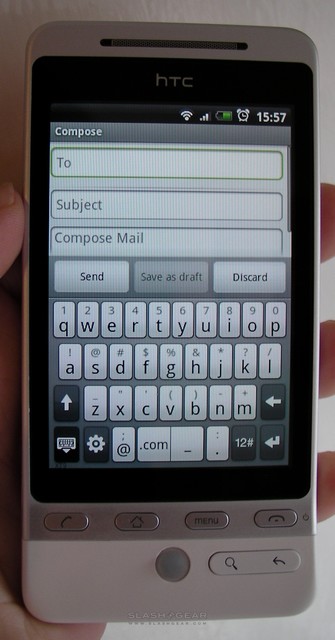
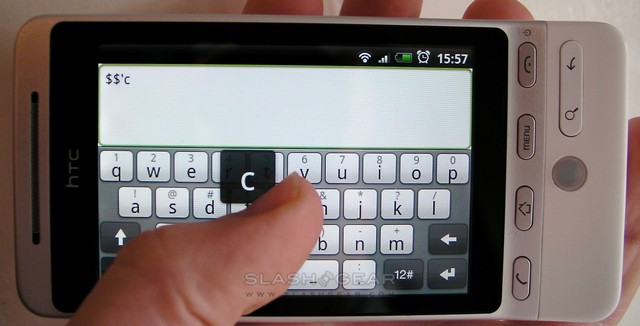
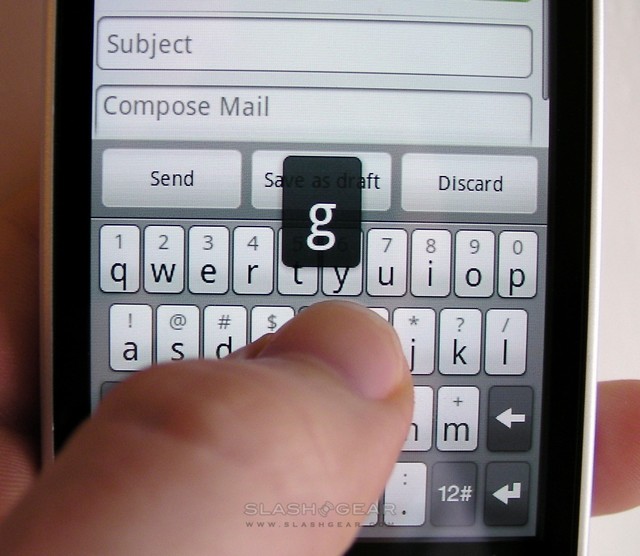
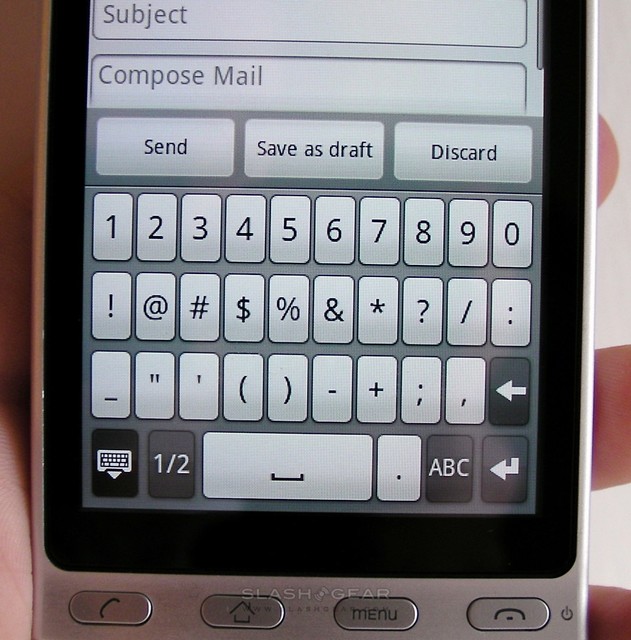
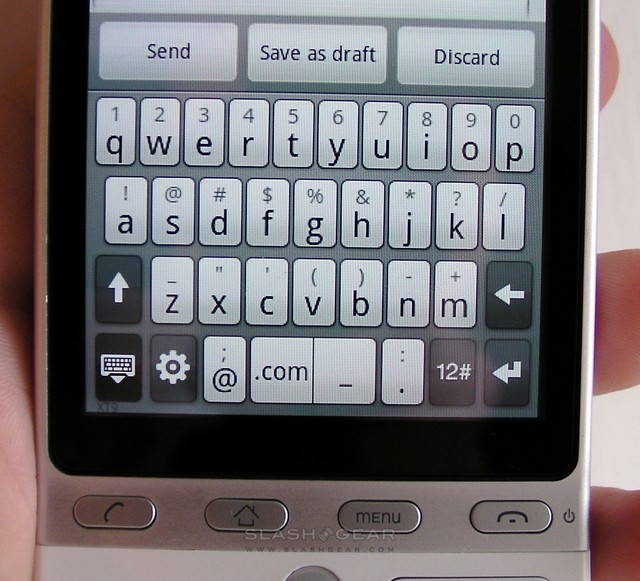
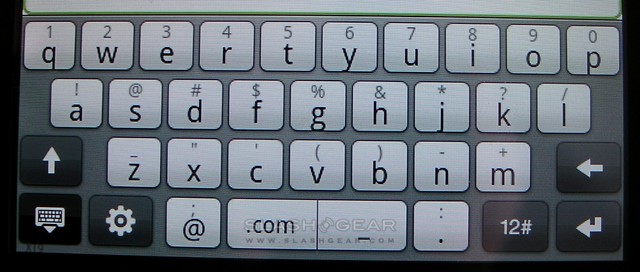
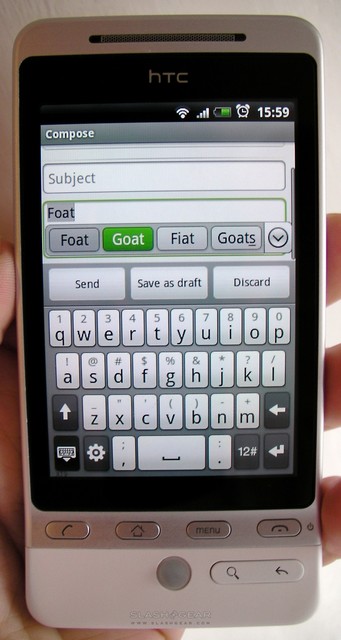
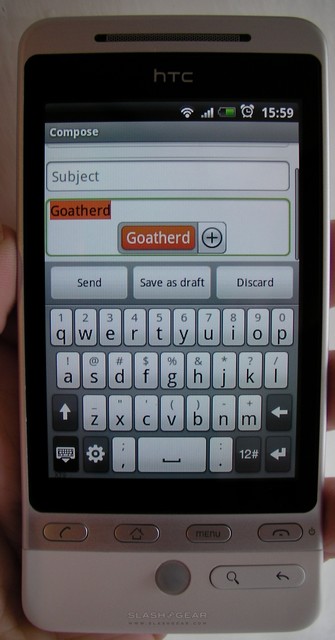
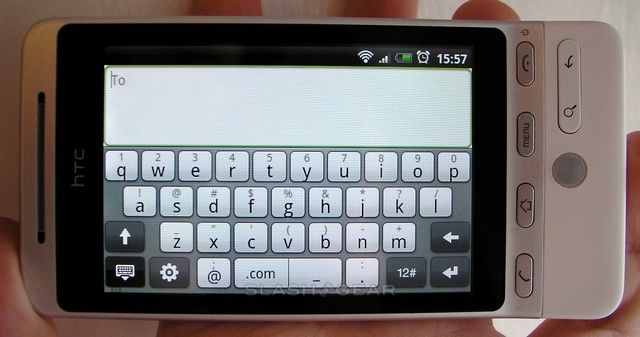
One of HTC Sense’s more impressive introductions is the new on-screen keyboard, and this is a real step up from what arrived on the HTC Magic with the Android OS 1.5 Cupcake release. Obviously both portrait and landscape orientations are catered for, each with well-spaced QWERTY layouts and secondary pages of numbers and symbols, while those secondary characters can also be accessed by pressing and holding the relevant letter key. As you do so, a preview of the character pops up above your fingertip, handy for ensuring you’re tapping the key you intended to. There’s also auto-complete and auto-correct, with a list of words showing up above the keyboard as you type; you can either tap them or press space to select the current highlighted word. Adding new words to the dictionary is also well handled; if you type a word the Hero doesn’t recognize, you can tap space to insert it or tap the word itself on-screen to not only insert but to add it to the dictionary for later use. In all, the keyboard is a real pleasure to use and we had no problems building up a decent typing speed in either orientation, especially when holding the Hero in landscape and thumb-tapping with both hands.

Elsewhere, there’s the usual array of Android apps and options, including the Android Market for software downloads. The BBC iPlayer app works well on the Hero, and of course you can add shortcuts to newly downloaded software onto the various homescreen panes. We’re hoping HTC – or third-parties – release some more homescreen widgets, as we really like the instant ease-of-use they bring to the platform.
HTC supply a 1,350mAh battery with the Hero, 10mAh more than the Magic, but quote up to 420 minutes of WCDMA talktime or 470 minutes of GSM talktime (20 minutes more than its predecessor). They also suggest up to 660 hours of WCDMA standby or up to 420 hours of GSM standby. We didn’t have enough time to put the Hero through the sort of charge/discharge and use cycles we would have liked to; however, with regular use of messaging and browser, plus several calls and email regularly checking over a mixture of WiFi and 3G, we found the phone would last morning to night before needing a recharge. This is certainly a handset you’ll be charging every night, but from our experience over the past few days it shouldn’t require the mid-day top-up many iPhone 3G users, say, report.
Back in our initial unboxing and overview of the HTC Hero, we tongue-in-cheek suggested that it could be the best Android smartphone to date. Having spent more time with it, that cavalier prediction is looking highly accurate. Android’s flexibility is, arguably, one of its biggest stumbling blocks; out of the box there’s little to guide a new owner through the platform’s capabilities. By introducing Sense, however, HTC have made the Hero instantly usable, and they’ve done so not with the bare minimum of app investment but with a range of programs that offer up-to-date functionality like social network integration.
Best of all, HTC’s dedication to developing Sense and treating UI as a long-haul process rather than a short-term prettification exercise gives us hope that the few shortfalls and omissions we’re currently seeing in version one of the Hero will be addressed over time. It’s reassuring to know that not only is the Hero a great smartphone but that it’s only likely to get better as HTC continue their tweaks. It’s safe to say that, in the HTC Hero, Android has come of age.
The HTC Hero is available unlocked and SIM-free from Clove.co.uk, priced at £335 pre-VAT. They offer international shipping.
HTC Hero unboxing and Sense UI overview:
HTC Hero media widget and Flash-capable browser:


58 Responses to “HTC Hero review”
LaughingJohn July 22, 2009
Several other reviews seem to suggest that the interface has quite a lag to it, although you don’t seem to highlight this very much. Can you comment on whether the phone is actually usable or whether the lag becomes annoying?
Thanks.
+4Chris Davies July 22, 2009
We’ve actually been talking about this in the forums over at AndroidCommunity.com. The reason I didn’t mention lag is because I didn’t really experience any; there’s a slight slow-down in flicking away from a homescreen pane if the widget is updating (such as Peep getting the latest tweets) but it’s incredibly minor (IMO). There was never a lag or delay that I could legitimately say was annoying. The camera, too, seemed faster than some sites are reporting.
The speed you see in the demo videos is basically the speed the Hero ran at all of the time. I’ve talked with HTC about the differing experiences, and they’re just as confused as we are; they say all the review devices (which I’m taking to mean those in the UK and those shipped to the US for reviews there) are running the same production ROM. However there are obviously some differences in performance across the board, not to mention I know a few people have had glitchier devices than others.
In short, this could be a “good” Hero and there could be “bad” ones out there with other reviewers, we just don’t know. Given that Orange UK are apparently beginning sales of the smartphone today, I imagine we’ll soon hear whether those versions live up to expectations or not.
Chris
+9KaP July 23, 2009
I got a Hero few days ago, and i’m not experiencing much lag in the homescreen. Though if i run some heavy apps or load a long contact list it gets a bit laggy.
By the way, you can change the homescreen to the classic android one (with the 3 pages, but without HTC widgets :( ), and it gets really smooth then.
+4Chris Davies July 23, 2009
Thanks for the feedback! I didn’t see the classic homescreen option, but I think it would be too great a loss not having the HTC widgets.
Neutralbgadget October 1, 2009
Sllooooooooow! That’s my biggest issue with it. Also, this guy makes a couple good points: http://tomaszdzido.com/blog/ht.....-practice/
+1WitchSmeller July 22, 2009
Great review. I was happy to hear it has a Gmail app. Did you say that it does have calender and contacts that sync with my google calender and Gmail contact list?
+2Chris Davies July 22, 2009
It does indeed, yes. The HTC “People” contacts app syncs with Google Contacts, and the new Calendar app syncs with Google Calendar (as well as Exchange).
+4ghoonk July 22, 2009
Excellent review, I really enjoyed reading it. I have a HTC Hero order placed with Expansys UK and am waiting for them to receive their shipment of the devices, so after reading this review, I’m looking forward to it even more.
I have noticed a small issue with the HTC Magic that I have (a non-Google branded device) where the latest version of Google Maps cannot be installed successfully, and I was wondering if this problem is still present in the Hero. Apparently, this was caused by a problem with the application signing, though neither Google nor HTC have taken any positive steps towards resolving this problem that currently afflicts all HTC Magic devices sold in Singapore through at least 2 of the 3 mobile operators there.
+2Chris Davies July 22, 2009
Our demo Hero is running Google Maps 3.1.2 (#3182) which was released yesterday; the phone alerted us to the available update and downloaded/installed it with no problems. There’s still no multitouch zooming support, sadly, but the new version does at least make clear that to access street view you need to hold down on the map and choose it from the pop-up box.
I’m assuming this is the latest version of Google Maps – it’s the only one on offer in the Android Market – so hopefully that answers your question! Let us know how you get on with your Hero when it arrives…
+1chingf0rd July 22, 2009
Thank you for the review – Does the Hero have a proximity sensor (Does the screen blank out when approaching face to answer a call)? I’m glad you had no lag on the UI – I hope to get the Hero soon and replace my WinMo Touch Pro…
+4Chris Davies July 23, 2009
As far as I’m aware it uses the light sensor to shut off the screen mid-call. It doesn’t turn the display back on mid-call if you take the phone away from your face; you have to press one of the buttons.
+2mcfly July 22, 2009
Hi! I have following two questions: Is it possible to sync the HTC Hero via iSync on the Mac over Bluetooth, cable and/or WLAN? Is it possible to copy files from a Mac to the HTC Hero an vice versa via WLAN? Thank you for the impressive review!
+2Chris Davies July 23, 2009
Unfortunately I’m not a Mac user, so I couldn’t try out iSync compatibility, and nor did I receive a user-manual so I can’t say whether it was mentioned in there.
NeutralAs far as I’m aware, there’s no way to copy files across WLAN. Plugging the USB cable into a computer brings up an option on the Hero to mount as an external drive, but there’s no way to do that via a WiFi connection.
LaughingJohn July 27, 2009
Thanks for the answers!
NeutralKaP July 23, 2009
I have tried to sync the HTC Hero via iSync in my MacBook using bluetooth but it doesn’t find it :(
+1LaughingJohn July 23, 2009
Chris,
Thanks for taking the time to reply. One other quick question, other reviews have also mentioned that the touch screen can require a few goes to get a click or swipe to work and this appears to be visible in some of the (many) videos I’ve watched.
I guess it may be related to the lag problem or just be present on pre-release versions, but did you have any problems with the touch interface or keyboard not being sensitive enough?
I know this is the opposite question in a way, but I also noticed a lot of video reviewers seemed to end up dragging things around when they meant to swipe the screen or pull down the notification area. Did you find that a problem and do you know if the screens can be locked once you’re happy with them?
Sorry I know that’s actually 2 questions …
Thanks again,
NeutralLJ
Chris Davies July 23, 2009
Not sensitive enough? No, not really. I usually use a resistive touchscreen phone, so I probably press a little harder “normally” than some might, but I found the Hero coaxed me into being more gentle with my touches. The onscreen keyboard is one of the best I’ve used, though whether that’s because of the screen or because of the auto-correct software I don’t know.
Dragging widgets or icons around requires tapping and holding for a second or two, and it’s not really something I had a problem with doing accidentally. I don’t think you can “lock” the screen, no, but you can save your custom layouts and recall them if you do major rearrangement damage!
+3KaP July 23, 2009
Same than Chris here, the touchscreen is really responsive. Though sometimes it seems like you failed pressing because of the lag (this almost never happen).
I’ve found the on-screen keyboard even better than the iPhone one, even with a smaller screen, all because of the auto-correct software, which is the best i’ve ever seen. You have to train it a bit though, with some words it doesn’t recognize (i am spanish so maybe this doesn’t happen to english writters :P).
+1da_blob July 23, 2009
gr8 review only reason im hesitant about getting it is cos sony e hv rumors of x3. i heard android doesnt officially allow u to save apps to sd card. so:
Neutral1 is this true?
2 is the internal memory enuf? or do i need to delete apps to download new ones?
Chris Davies July 24, 2009
As far as I’m aware, no, there’s no way to save apps to a memory card. As for whether the internal memory is enough, that obviously depends on how many apps you’re downloading; I should think you’d be able to install plenty with the onboard memory, but my idea of plenty may differ from yours!
As for the X3, the renders look great but there’s no sign of an official release or anything close to a shipping date/price. We’re also yet to see a leaked in-the-wild photo, which usually tends to happen well in advance of Sony Ericsson devices being officially unveiled. The old advice stands true: you could wait forever to upgrade, always in fear of there being a “better” device just round the corner, but it’s much better to ask yourself whether the phone you’re looking at now will do everything you want it to, and if it does, there’s your answer :)
Neutralgerizafa July 23, 2009
So, you tried flash playback. How did the device fair on hulu?
NeutralChris Davies July 24, 2009
Unfortunately Hulu doesn’t work outside of the US, and we tested the Hero in the UK.
Neutralblenky119 July 26, 2009
Hi Chris,
So Just a bit of background, I’ve been following android phones since the G1, and was going to buy this one, But after the Gizmodo and Engadget reviews I had decided to hold off, Then I read your review and It piqued my interests again. So my questions are should I go try it out at the orange shop to see if I can experience the Lag that is reported in someplaces but not others, Have you heard the reports that switching to a Class 6 MicroSD Card clears up some lag if you have it and what is your opinion on the validity of these statements, and Would you recommend buying this phone, or buying a google experience phone like the magic and waiting for the near imminent release of Donut, which implements the multitouch and supposedly speeds up the system? Thanks in advance for your answers (if I get them)
Marcus
+2Chris Davies July 26, 2009
Hi Marcus,
If I were you, I’d definitely go down to whichever store near you has a Hero in stock, and have a play. While there’s some discussion about different versions of the handset and performance (anecdotally people are noting that black/grey models, such as are being tested in the US, aren’t impressing as much as their white counterparts, such as we tested, in the UK; HTC themselves say that the firmware was the same on all demo models) there’s also a fair chance that user expectation comes into it, so you may find the Hero simply too slow for how you believe a smartphone should perform.
Unfortunately I don’t still have the Hero to test with different microSD cards, and the card supplied was unmarked as to which class it was. If, as has been suggested, the Hero uses the memory card for a swap-file then there’s a possibility that switching to a faster microSD could improve performance. Again, without doing more testing I’m afraid I couldn’t say conclusively.
At the end of the day, the processor and RAM in the Hero aren’t ever going to change; the firmware, meanwhile, might. Personally, having tried all three of HTC’s Android phones, I wouldn’t go with anything but the Hero – the UI improvements are way ahead of the native Android build, and you can always turn them off if you really prefer the standard version – since I imagine that HTC will always be developing at the forefront of what Google make available (such as Donut).
If I were you, I’d go to my nearest store with a working demo unit, load up the Hero homescreen with widgets, start up some apps, browse to a few pages and just see how the phone performs. This is a subjective thing, frankly, and only you know whether the Hero’s performance would be a frustration or sufficient. Let us know how you get on :)
Chris
+2blenky119 August 2, 2009
Hi Chris.
I decided to take the plunge and as of today am the proud owner of a chocolate(may as well be black) HTC Hero.. And I am seriously impressed. The keyboard is responsive, the lag is not noticable most of the time, and is not as dire as many reviews were making out. All in all a wonderful phone.
+2Chris Davies August 2, 2009
Marcus,
I’m glad to hear you’re impressed, thanks for coming back and giving us some feedback.
Next step is to head over to our sister-site, AndroidCommunity.com, and join in the discussion there – if you want to know anything about third-party apps, Android tweaks or anything else, it’s the place to be :)
Chris
+1feicipet August 2, 2009
Hi Chris,
Thanks for the very detailed review. All things considered, I really think this is worth saving up for my next phone upgrade, when I compare it to what’s on the market now.
However, my concern right now with the Hero (and for that matter all Android-based devices) is the future upgrade path. I own a Singapore Telecom released HTC Dream and recently, there’s been this big hoo-ha about the failure/delay in releasing Cupcake to Dream users 3 months after it was announced. The blame was being shifted between Singtel and HTC and frankly none of us know any better who is ultimately responsible for pushing the update out to users.
So, in Hero’s case, who would be responsible for pushing out the updates? It looks like HTC is branding this as their own phone and is telco-agnostic, so I would assume HTC?
NeutralChris Davies August 2, 2009
Hi feicipet,
As far as I’m aware, in the case of carrier-supplied devices, it’s usually the carrier who is then responsible for over-the-air software updates. If you would be buying a Hero SIM-free from HTC (or a reseller; i.e. not through a carrier) then I would assume it’s HTC who would then be responsible for managing future updates.
Of course, there’s no telling how that situation may be affected in future, and just as you found with the Dream there can be confusion along the way. I would say that anybody thinking about buying a new device – Hero or other phone, or in fact any gadget out there – should always base their purchase on what the device does today, in your hand, rather than what it “might” do X-months down the line after X-number of software changes. Those changes, for one reason or another, may never come: if the phone does what you want today, then you can’t be disappointed with it tomorrow.
Chris
NeutralTinoMclaren August 5, 2009
Hi Chris
Great Article :-)
For those concerned about ‘lag’ then I can reassure them that there really isnt a problem here.
Had mine for a week now and its really smooth, in all my critical tests too..
Some of the features like you say waiting to be found but this adds to the units mystery as I have found there are a few ways to perform tasks. Great!!!
It has helped me no-end and I use it for work & play. Certaily gives the iPhone a BIG run for its money and with the open source android (loads of FREE Apps!!!) there really was only one choice for me.
A++ from me, well done HTC
Tino
Neutralchingf0rd August 5, 2009
I concur – although I have only had it for a day, I am very pleased with the device – I am still feeling my way around the phone, but it is far faster than my old WinMo TouchPro – the browsing experience is especially fluid, although I think the Flash plugin isn’t that great. Must say that the ‘laggy’ concerns may be because of the constant iPhone comparisons where the Apple device is very responsive. I am happy with the Hero – it makes all the WinMo devices I’ve owned seem awfully dated.
The one thing I cannot find out is whether the Hero/Android can data-thether over bluetooth? Anyone able to do so?
Neutralfiretrekker August 23, 2009
Hi Chris, Ive just got the hero, and im very new to all this tech stuff, but ive quickly learned that it doesnt tranfer via the blue tooth facility, at first orange said they werent aware of this then i got told they were, and there is no time line getting it working. The tech at orange said a third party app may be avalible, so do you know if there is one ?.
Thanks
NeutralChris Davies August 25, 2009
Hi firetrekker, thanks for flagging this up. I’d been transferring files via the USB cable, not Bluetooth, so this issue hadn’t arisen. Having just looked now, my Mac can’t find any compatible profiles on the Hero, so I guess what Orange are telling you is true.
I don’t know offhand of any apps that will do it, but you could head over to AndroidCommunity.com and check out the forum there – they have lots of good advice.
NeutralSTANUL August 24, 2009
Hi Chris,
NeutralI have a question.
I had a Magic on loan for one week.
I noticed 2 problems:
1) slow connection to my home WiFi although the device was registered on the network. From starting WiFi to connection could take 1,5 to 2 mins
2)After turning WiFi off the 3G icon was not coming back and there was no data connection unless I was turning Airplane mode On/Off.
Then I could get connection again.
Have called HTC and they told me to hard reset.
This didn’t solve the problem, but helped me to lose all data/programs.
Can you please confirm if Hero suffers from same problems?
Thank you.
Chris Davies August 25, 2009
Hi Stanul, I reviewed the Magic back when it came out, and I don’t recall having any issues with the speed of reconnection or it losing 3G. It could be that you have a faulty device. Unfortunately a hard-reset is generally the first port of call for any support team, which will mean you lose installed apps and data; on the plus side, it often clears up an issue, or helps you to troubleshoot it, so I can understand why HTC asked you to do that.
The Hero hasn’t shown any problems switching between WiFi and 3G.
NeutralHaakon August 31, 2009
okay, this is a very simple question, but is it pusible to change the keyboard, so it’s not a “letter keyboard” like a iphone, but a normal “number keyboard” ?
it would help me soo much !
NeutralEvan Selleck August 31, 2009
Haakon,
There is a way to change the layout of the portrait keyboard, to look like the standard keypad on a phone. If you have the phone in portrait mode, press the small “gear” at the bottom left of the keyboard. Once there, touch the first option: “Keyboard Types”. You’ll see options appear, where Phone Keypad is the second one. Just go ahead and touch there, and then the next time you open up the keyboard (in portrait mode) it will be the phone keypad.
Hope this helps.
NeutralMy cellphone carrier does not support/ offer HTC Hero. However, If I got the unlocked SIM-free handset, could I still use the MMS feature or not??
NeutralEvan Selleck September 1, 2009
Crazy,
In the case with the carriers here in the States, you would need to set up the APN on the phone, to make sure that you are able to receive MMS. It’s a simple set up, as long as you have the settings, which you can probably get from your particular carrier. And, it’s super easy to set up on the Hero.
Neutralhamzax7x September 4, 2009
i had one question chris, for HTC Hero updates.
Neutralsay the android OS is updating to 1.6 or something,
will the HTC Hero get that update or will it get specific
updates for HTC itself.
Chris Davies September 4, 2009
I think since the Android Market is the standard build from Google, rather than modified by HTC, the update will come through on the Hero as it would any other Android device. But I’m not 100% on that, so I’d wait to hear more.
NeutralHas anybody else read the reviews on the Hero? Granted, they called it the best android phone yet, but they also called it laggy, and it’s multimedia capabilities aren’t ranked so great either. It looks like i’ll be waiting for some real world reviews by some of you early adopters.
Neutralhamzax7x September 6, 2009
HTC made an announcement about a Hero update and will be coming in a few weeks to take care of the lag, the major point of the announcement was to increase the HTC Hero’s speed
Neutralhamzax7x September 7, 2009
i have another question chris, since im going to buy an unlocked HTC Hero
Neutralcan i get the lastest firmware/ updates
iPhones which are unlocked cant upgrade to newer firmwares without hacks
Chris Davies September 8, 2009
You’ll be fine, hamzax7x; selling unlocked, SIM-free phones is part of HTC’s normal business (unlike the iPhone, which they’d prefer you only ever bought with a contract) so they make firmware updates available to download.
Neutralgotofritz September 9, 2009
I got myself one of these, and although I quite like it (despite its quirky IA) I am going to give it back. The reason? The camera. It may be 5 Megapixels, but it’s the worst camera EVER. And that’s not because of the lack of flash – bad enough in itself. Even in bright light conditions, the piuctures come out blurry and washed out – the camera takes too long to respond, you’ll need to be a ninja to keep it still for that long. All pictures come out blurry and colourlees. Waste of space.
NeutralChris Davies September 10, 2009
Before you return the Hero, gotofritz, it might be worth waiting for HTC’s promised firmware update. Improved camera performance is tipped to be included (as well as touch-focus), and that may address some of your complaints. I agree, though, that the cameras on recent HTC handsets have been outperformed by the competition; in fact it’s something HTC themselves agree.
+1gotofritz September 10, 2009
Thanks for the tip, I may just do that
Neutralhamzax7x September 9, 2009
if you want a good camera phone youre better off getting a samsung memoir, 8 mp camera
NeutralPeter September 13, 2009
HI Chris, thanks for the review.
I got my here in July, and found a lot of it “made sense” I discovered a lot of the features as I was going along. Two questions.
1. BBC iplayer; I can’t get this to work; I’ve checked other discussion on Android sites, and they suggested it’s not ready yet; usually HTC Real Player recognises stuff and launches immediately, but the bbc site directed me to download a player; and given that I’m not very “tecchy” didn’t want to download “the wrong thing” (suggested different players for a linux platform)
2. Email; HELP! ;) My email goes via POP3 to my home computer in Outlook; I’ve set up my HTC to receive email – and it remains on server, so that when at home it goes to my outlook. I can’t find a way of synching via outlook to my hero; and asked HTC and they said it’s not available yet. The answer may lie in “gmail” or similar – but I’m not sure whether to “stick” with my current set up (not ideal) or change over to gmail – if that will sych automatically with push (I only half understand what I’m writing here btw!)
Otherwise, I LOVE MY HERO, I seem to discover new things daily, which is pleasing; although agree that the same views for web browsing should be there for google maps; I’d go further and say it should for Quickoffice too…
Cheers
Peter
NeutralChris Davies September 13, 2009
Hi Peter,
It sounds like you’re trying to visit iPlayer via the Hero’s browser; a much easier way is to download the beebPlayer app from the Android Market. It’s free and works over both WiFi and 3G connections, and offers the same access to the BBC’s online archives as their desktop version does, but in a much more mobile-friendly way.
As for email, you’ll have issues if you’re downloading your messages to your home computer; there’s no straightforward way to sync them with the Hero (at least not without third party software, and if there is such a title then I’m not sure what it is). An alternative would be to set your home computer to leave the email on the server and just download a copy; then the mail would always be online ready for the Hero to check too. You could keep doing that with POP. However, it depends on how much server space for messages your ISP provides.
Gmail is certainly a more streamlined way of dealing with email on the Android platform, and while it’s not quite true “push” it’s better than what you’re using now. You could also set it to allow POP email access, so Outlook could continue to download a local copy for your computer; alternatively there’s IMAP, which is better than POP in that it maintains read-status of messages (e.g. if you read a message on your Hero then the message is marked as read both on Gmail’s online interface and, as long as you’re using IMAP in Outlook (and not POP) on your home computer too.
There’s plenty more help – and cleverer people than me who can guide you – over at the AndroidCommunity.com forums :)
Chris
NeutralPeter September 13, 2009
Chris, thanks, I feel like a bit of a numpty; it was all so much easier when I was ten and had a Vic20, or was eight with my ZX81 with 16K rampack – although don’t wiggle it too much…
Will download beebplayer (when I can get market to work lol!) and Gmail sounds like the way forward, as you say better for Andriod; and I’ll look into IMAP as that looks promising.
Am getting myself to the Android forums; it’s just so much more complicated; perhaps my six year old god son can “fix” all of this for me…?
Best wishes
Peter
NeutralChris Davies September 13, 2009
Peter, Gmail and IMAP work really well together, and Google have some straightforward tutorials and guides to get it all working. I think you’ll find it far preferable to POP.
As for the forums, everyone over there comes from different stages of proficiency, so don’t worry if you’re having to secretly text your godson for advice! We all learn the same way, after all :)
Chris
NeutralThank you for the review. A little question :)
NeutralDoes Hero have an analogue video/audio output through ExtUSB?
Chris Davies September 28, 2009
Unfortunately not, Alexey; as far as I’m aware there’s no video-out from the Hero. ExtUSB does output stereo audio, I believe, though you’ll need one of HTC’s adapters – it’s not included in the box.
+1I just went to pick one of these up to replace my iPhone, but the Sprint store and Best Buy are both selling the Magic but calling it the Hero. What’s the deal with that? How do you get this phone?
+1Chris Davies October 18, 2009
It’s unlikely to have been the Magic, Greg – that’s not available on the Sprint network. The Sprint Hero looks different from the GSM model (pictured in this review); check out our Sprint Hero review for photos:
http://www.slashgear.com/sprin.....w-0559083/
+1As a US Sprint customer, my options have been mostly limited to WinMobile, Blackberry, and Palm. Not interested in blackberry … although i currently own a Palm Centro … although it is a reasably good phone, i have not been suitably impressed with the OS or freeware apps . Yes i said it FREEWARE. There … WinMobile had the market cornered! My mogul was a wonderful little computer … despite the frequent need for soft resets … but a really cruddy phone. When i read about Android i got all excited … but … alas no phones on the Sprint network.
Enter the HERO …
My heart is all a twitter and anxiously awaiting Oct 11 … hoping to learn all i can about android before then … so i can get my little hands dirty!! Share your review with me at http://www.HTC-Hero.com a site for HTC Hero fans.
+1jaeb106 November 5, 2009
Ok my question i regarding the camera. I see that it doesnt have a flash and sometimes you have to take a picture indoors how do you get that reddish or orange background out if you do not have a flash. would this camera be better.
-1