
HP 2530p Business Ultraportable: military spec casing & CDMA/HSPA
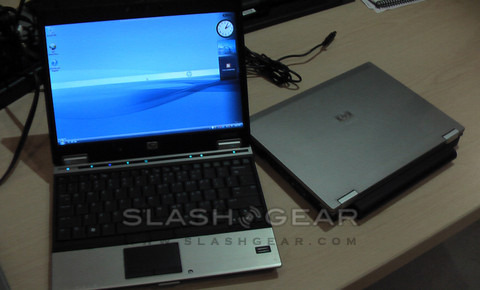
HP have announced an update to their compact business ultraportables, with the arrival of the 2530p series. Available with a choice of Core 2 Duo ULV or Low Voltage processors, the 2530p has casing that meets military standard MIL-STD 810F and a starting weight of just a starting weight of just 3.19lb. A range of storage is also available, from 1.8-inch and 2.5-inch standard HDDs through to Intel SSDs, and the display is 12.1-inches and LED backlit.
The 2530p uses an aluminium shell bonded to a magnesium honeycomb, creating a casing that you can actually lean on without risking damage to the screen or components. It's also more attractive than the model it replaces, with a brushed silver finish compared to that notebook's textured black plastic.

Available with Intel Core 2 Duo Ultra Low Voltage (1.2 GHz, 3MB L2 cache) or Low Voltage (up to 1.86 GHz, 6 MB L2 cache) CPUs, up to 8GB of DDR2 RAM and up to 160GB 7,200rpm 2.5-inch HDD (or 80GB SSD), the 2530p also packs in an optional optical drive (only with the smaller 1.8-inch HDDs). Connectivity includes WiFi a/b/g/n, Bluetooth and gigabit ethernet, as well as on option of Qualcomm's 3G Gobi WWAN module that supports both EVDO and HSPA mobile broadband.
The 2530p range starts from around $1,500. The 80GB SSD option is around $900, and there is a choice of three battery packs: 3, 6 or 9-cell, offering roughly 4, 8 or 12hrs use respectively.
