Gateway FX6800-01e Review - Intel Core i7 (Nehalem) Powered Gaming Rig
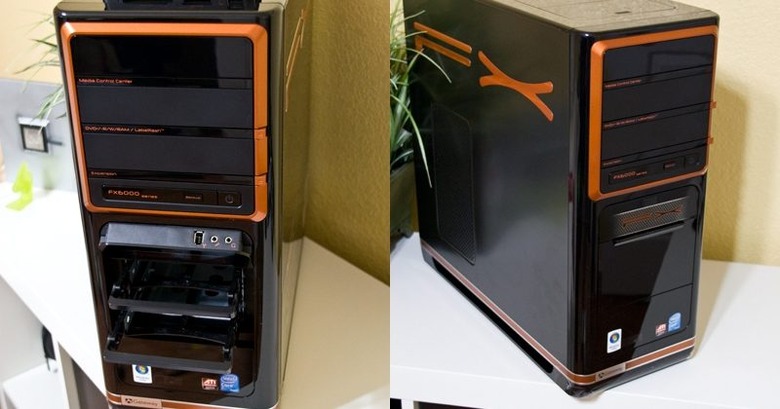
Sitting on the SlashGear test bench for the past week or so has been Gateway's FX6800-01e PC, and boy have we wanted to tell you about it. Outwardly there's little to suggest – beyond the color scheme, which edges on the vibrant – that the FX6800-01e is anything other than a standard Gateway machine, but the giveaway is the discrete Intel Core i7 badge. This is one of the first systems to use Intel's next-gen processor, formerly known as Nehalem, marking a significant architecture change from the Core series. The FX6800-01e is based on an Intel Core i7-920 2.66GHz quad-core processor; the biggest question remains, is performance increase as revolutionary as the architecture?
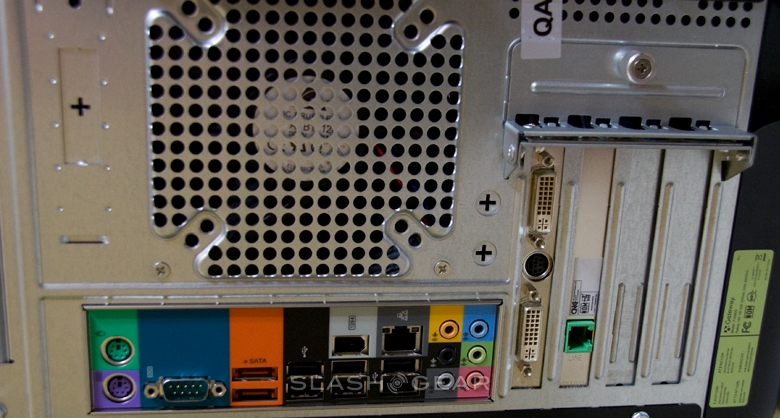
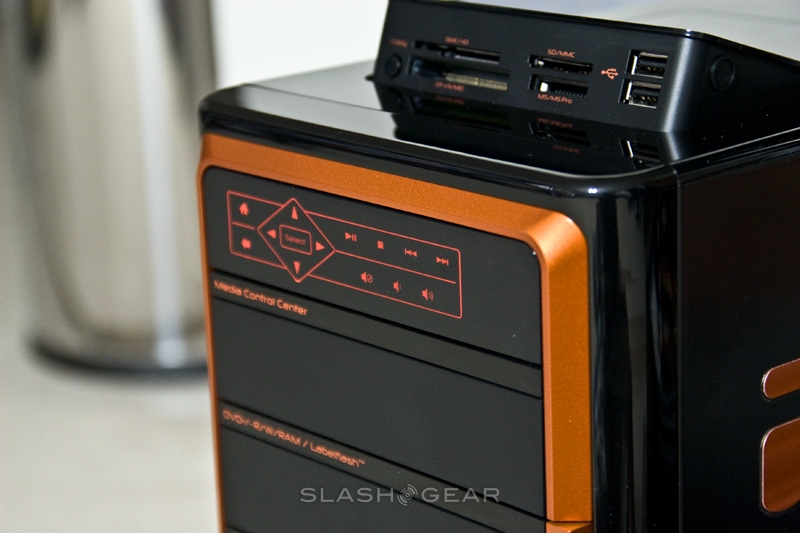
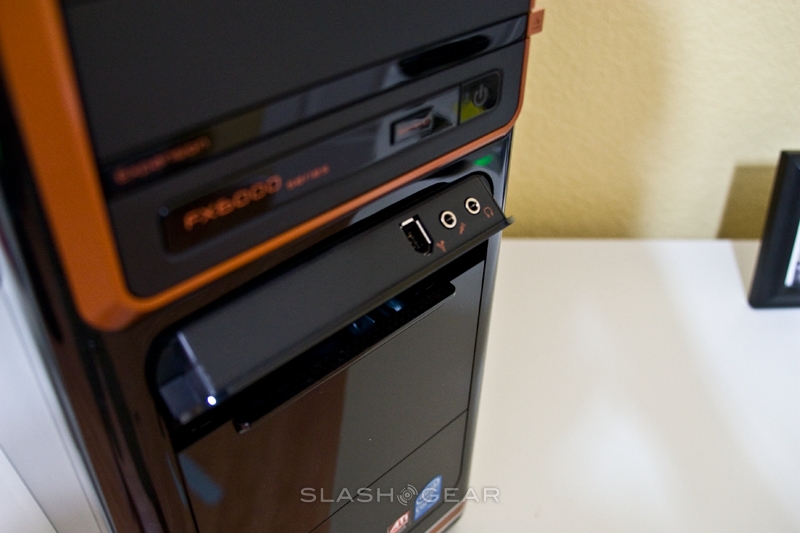
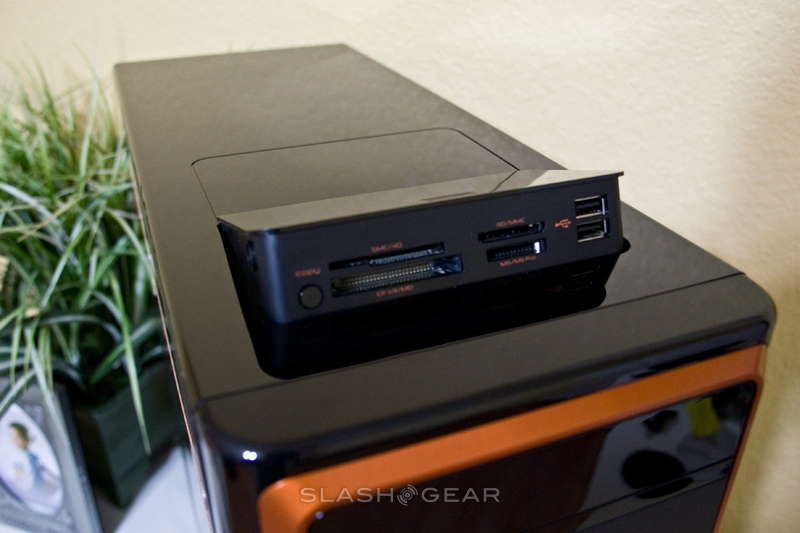
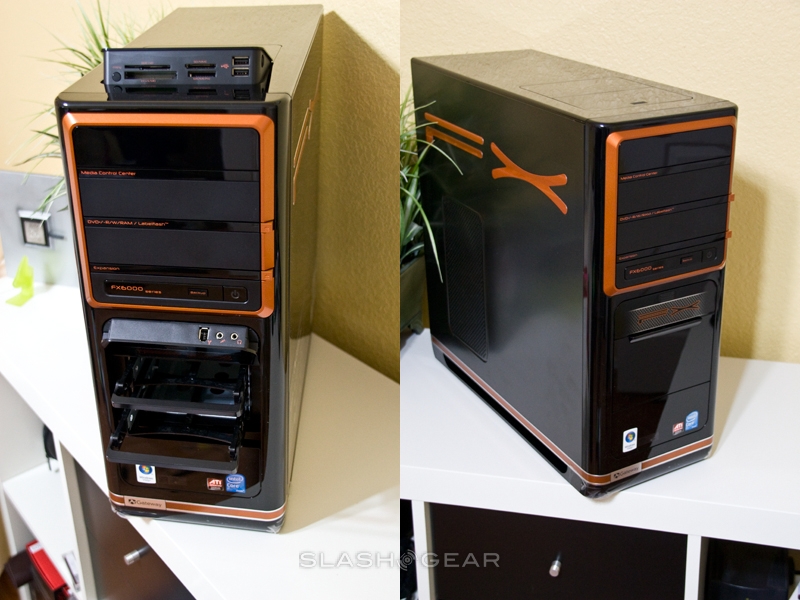
Physically, there's little to distinguish the new FX6800 from the Gateway FX6710, which launched recently. The case stands around 18-inches high, finished in black with orange metallic accents, and up front there's a 15-in-1 memory card reader, two USB 2.0 ports and a Firewire socket. The first drive bay slot sports a touch panel navigation system, with volume and media controls. Round the back there are a further six USB ports, another Firewire, two eSATA ports and two PS/2 ports, together with gigabit ethernet, a modem and one COM port.


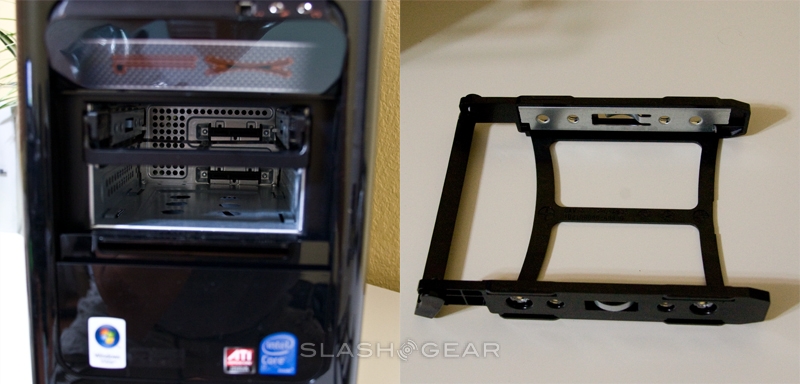
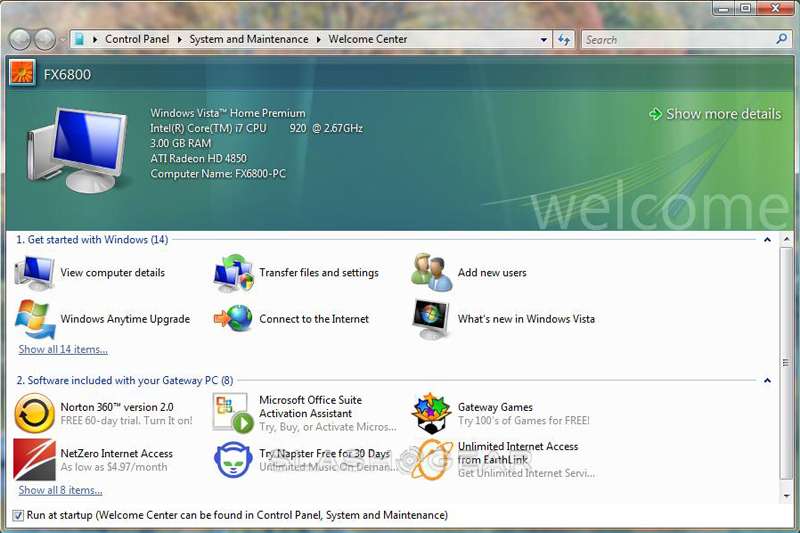
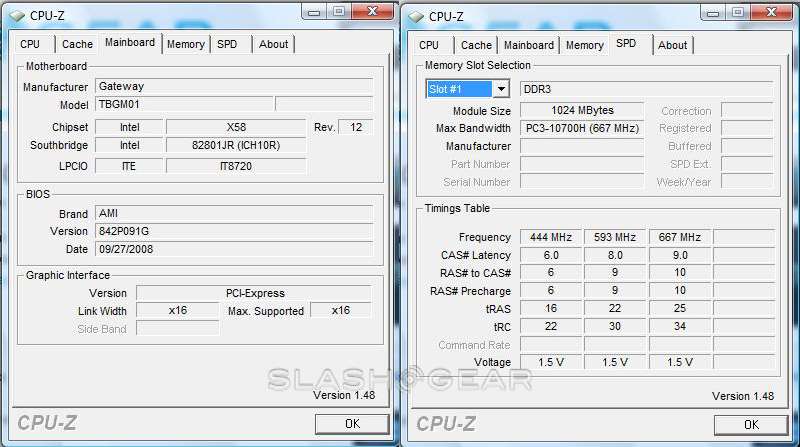
Aside from the Core i7-920, the FX6800-01e has 3GB of DDR3, triple-channel 1066MHz RAM, a 750GB 7,200rpm SATA-II hard-drive, SuperMulti-format DVD burner with LabelFlash and 7.1-channel high-def audio with Creative's X-Fi XtremeGamer sound enhancement. Graphics come courtesy of ATI's Radeon HD 4850, with 512MB of its own GDDR3 graphics memory, two DVI ports (with HDMI and VGA adapters included) and a single S-Video output. Gateway made storage expansion straightforward by providing two SATA drive bays fitted with swap-cages in the front drive slot.


OS is Windows Vista Home Premium 64-bit with SP1, and there's the usual bevy of trialware. In fact, despite the new processor, everything seems pretty much as-normal when you turn the Gateway on; start-up time is roughly the same as you'd experience with a similar speed Core 2 Quad CPU.
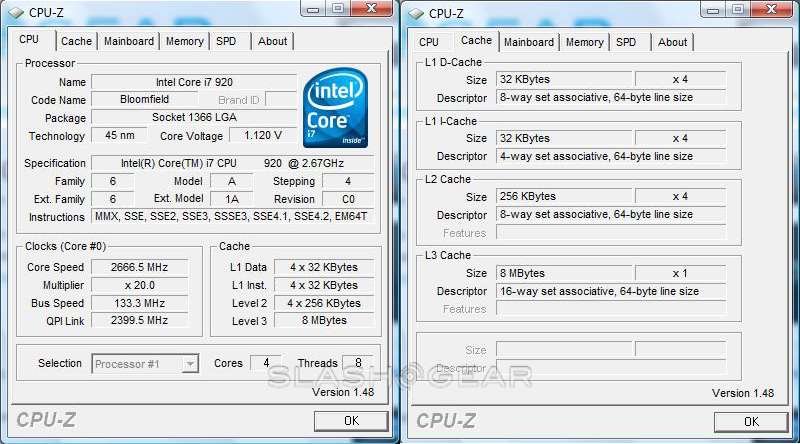
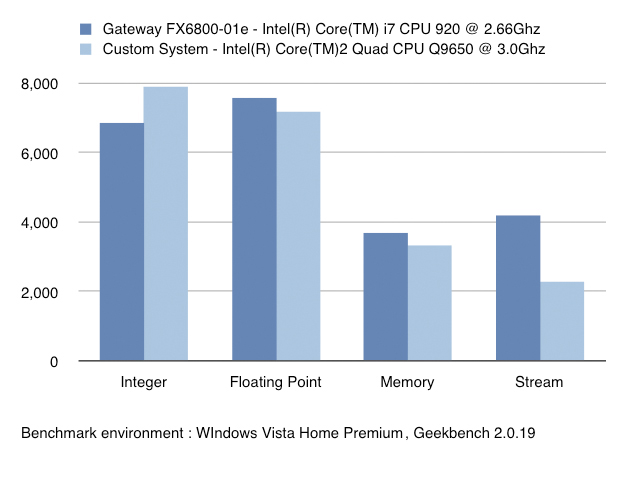
Of course, the first thing we wanted to run were the benchmarks. The Core i7-920 is the mainstream Nehalem processor, 45nm with four cores capable of eight threads and with a TDP of 130W. Above it lie the Core i7-940, at 2.93GHz, and the Core-i7-965, at 3.20GHz. Our comparison system was based on an Intel Core 2 Quad Q9650 CPU running at 3.0GHz, also with 3GB of RAM. We tested using Geekbench v2.0.19 32-bit, which individually assesses the systems in four different categories: integer, floating point, memory and stream.

Benchmarks only tell part of a story (no matter how much we all enjoy seeing different colored graphs), though, and real-world performance of the Core i7 series will depend on a number of factors. Not least among these is the applications you plan on running: a change in processor architecture means that, for software to take full advantage of the i7's four cores and eight threads, it has to be coded properly. That means that, out of the box, the FX6800-01e excels at media processing and other data crunching tasks, as well as making a damned fine work machine, but if you're a gamer you'll perhaps not notice such a leap in performance with the current crop of titles.
Nonetheless, the absence of a massive leap in gaming performance doesn't mean the Gateway FX6800-01e is any way lacking on that score. The combination of the Core i7-920 and ATI's Radeon HD 4850 graphics saw 69fps at 1,680 x 1,050 in Call of Duty 4, which is certainly nothing to be sniffed at. Based on the knowledge that developers will soon be coding to take advantage to the new Intel architecture, the FX6800-01e arguably knocks the socks off of current gaming PCs for longevity.
Of course, all that hinges on price, a factor we're currently in the dark about. In fact, we don't know exactly when the Gateway FX6800-01e will launch, except that it will be sometime in November to coordinate with Intel's own official announcement. The FX6710, with its Core 2 Quad 2.66GHz processor, has an MRSP of $1,200 with – CPU and RAM excepting – similar specs to the FX6800-01e; leaked details regarding the Core i7 suggest the i7-920 alone costs $284 (when bought in thousand-unit quantities), then factor in the higher-spec RAM (albeit half the amount).
The latest hardware is seldom cheap, though, and at least with Core i7 you're buying into the next-generation (with the promise of even higher performance once developers get the hang of Nehalem-style coding) rather than the peak of the current crop. General users won't need Core i7 today – just as they probably don't need a Core 2 Quad either – but those with more specialist needs should give the Gateway FX6800-01e (and, more generally, the Core i7 CPU) a closer look.