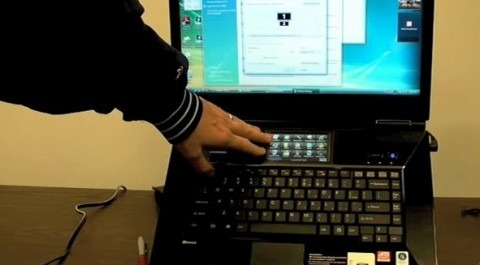
There has been a lot of talk regarding the Fujitsu Lifebook N7010 and its integrated Secondary Display. Many people may be wondering what you might use it for or just how it works. Thanks to this video we now can see a few examples in action.

The 4-inch touchscreen display is actually a second monitor that is built-in directly below the primary monitor. One of the basic functions you would use this screen for is a quick launch shortcut menu for frequently use applications. You can also use this high-resolution screen to display a slideshow of your favorite photos.
You can use this smaller display to drag documents, pictures, or applications that you want to keep from displaying in your main laptop screen. You can pick the Lifebook N7010 right now for $1499 at many retail locations.


4 Responses to “Fujitsu N7010 and Secondary Display gets caught on video”
Rob Bushway December 18, 2008
thanks for the link, Shawn. I think you have the wrong video embedded, though. the one displaying right now is a skater video.
NeutralFacebook User December 18, 2008
Thank you for bringing that to our attention Rob! Noted and fixing it.
NeutralAberdonian December 18, 2008
I think it’s a nice idea, but the screen is just too small for the resolution. It’s totally impractical as a secondary monitor. I suppose the quality would be great for a slideshow, but how often would that be used?
The quicklaunch menu might be useful but I think it’s an un-needed addition to the taskbar. Not my cup o’ tea. Would anyone buy this laptop over cheaper rivals for that meagre secondary screen? It might be worth to buy a Nanovision MIMO display instead?
NeutraldaPrinz December 18, 2008
Now your battery drains even faster. I doubt it’s worth it.
Neutral