

DV Puts Together Your HD Editing Shopping List
The extent of my cinematographic skills extend to a dodgy wedding video I made for some friends of the family back in the mid-nineties. Home editing back then – unless you could afford a proper editing desk – involved stopping and starting a VCR and doing a whole lot of tape shuttling. Kids these days don't know they're born, with computer based setups doing all that and much, much more; it doesn't even have to cost you anything, as some machines come with the relevant software preinstalled (such as Apple's iLife suite).
If you're serious about it, however, then you'll be wanting to read DV.com's guide to setting up the perfect editing suite; but be warned, if you're of a tendency to get light-headed when faced with large figures then you may want to lie down in preparation.
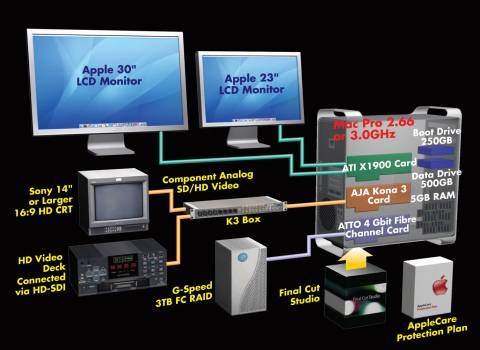
Based around Apple's Final Cut Pro, Mike Curtis walks through a range of editing options from around $7,600 for the starter setup, all the way up to $25,500 if you're really, really serious.

Build your own HD workstation [DV.com]