

Can Anything Replace Windows XP As The Best Netbook Operating System?
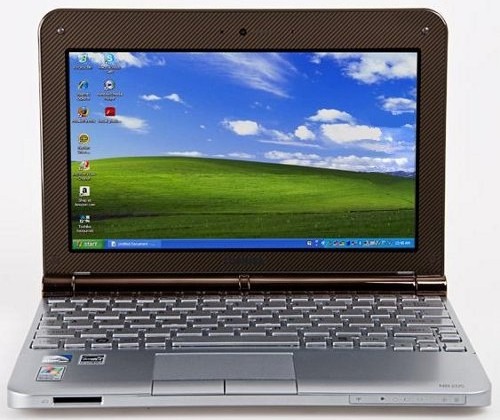
As someone who has been running Windows XP as a primary operating system for the past eight years and has seen more netbooks with the dated OS in the last year or so, I was probably more excited about the arrival of Windows 7 than Twilight fans are about the upcoming release of the vampire packed New Moon movie. However, the last two netbooks I have gotten my hands on run the lower-end and feature-missing Windows 7 Starter edition. Although it pains me to admit it, I miss the rolling green mountains and blue skies of Windows XP.
Netbook manufacturers, including ASUS, HP and Toshiba, have chosen to put Windows 7 Starter on the newest crop of netbooks and, without a doubt, did so with a push from Microsoft. (Don't forget about the higher profit margins on Windows 7 netbooks.) In fact, Retrevo.com, which is similarly evidencing dissatisfaction with Win 7 Starter, reports that 23 of the 28 netbooks on sale at Amazon.com right now are preloaded with Starter edition. And it doesn't surprise me that Retrevo's survey on netbooks with Windows 7 Starter found that 54 percent of consumers would be unsatisfied with a new netbook equipped with Windows 7 Starter Edition because of limitations in the OS. I am, without a doubt, in the same camp as that 54 percent.
Though Microsoft lifted the three-application limit before releasing the slimmed-down version of its operating system in October, it managed to include a number of restrictions including lack of support for DVD playback and the graphical Aero Peek interface. My major gripes, however, lie with the following shortcomings of the OS, which are far greater than dealing with the aging Windows XP.
Locked desktop background – You cannot change the desktop background on any Windows 7 Starter system. That's simply ridiculous. I have been changing backgrounds in Windows since my very first desktop that ran Windows 95! Can I live with a blue Windows logo on my netbook's desktop? Sure, but why should I? Yes, Windows 7 may be more aesthetically appealing than Windows XP, but who wants to look at a blue shaded Windows logo forever?No multi-monitor support – Last week I discovered the hard way that the Nokia Booklet running Windows 7 Starter wouldn't let me extend its 10-inch desktop to an external monitor. Since you can only clone the desktop in Windows 7 Starter, don't plan on keeping an email client open on the 10-inch display and your browser open on a larger monitor. (Yes, that's my netbook setup and it's too good to part with.)Subpar battery life – According to reports from LAPTOP Magazine and Liliputing, Windows 7 Starter edition is getting an average of 40 minutes less battery life than netbooks running Windows XP. That is quite a bit of wasted juice. Given that battery life is one of the best selling points of netbooks, I'd prefer to get some extra run time and sacrifice some of Windows 7's features.
Don't get me wrong; there are a number of things better about Windows 7 Starter than Windows XP, like the ability to connect to multiple networks and connect quickly. But, as I've said before, I'd rather have function over form and losing the core functionality of an operating system just rubs me the wrong way. While I am aware that most of my complaints can be solved by paying $80 and upgrading to Windows 7 Home Premium, adding 80 bucks to a netbook isn't an insignificant cost and, in some cases, that's as much as a quarter of the cost of the system itself.
So, big deal that Windows XP looks outdated, it provides me and other netbook users with the right price along with the essentials — the ability to change the wallpaper to an image of choice, longer battery life and the capability to extend the desktop to another monitor. Of course, word is that Microsoft could be finally pulling the life support on Windows XP before the end of the year on netbooks. Maybe the threat of Google's Chrome OS, which is supposed to be shown in an early beta form this week, will be a viable alternative or perhaps scare Microsoft from pushing Starter onto netbooks. Until then, I am continuing to name Windows XP my netbook operating system of choice.