

ASUS Eee PC 900 30G Suggests Straightforward SSD Upgrade Path
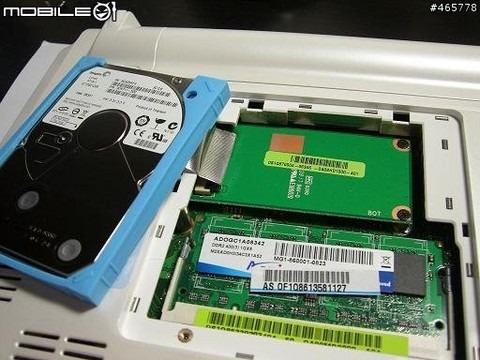
Further close-up examination of ASUS' latest new facet to the Eee PC range, the hard-drive toting Eee PC 900 30G, suggests the notebook might be more interesting than first believed. While the prospect of an Eee 900 with the SSD storage swapped out for a more mundane (though slightly larger) 30GB HDD doesn't seem too impressive, Mobile01's pictures of the unit's internal setup reveal that the way ASUS has fitted the drive itself may be the real development.
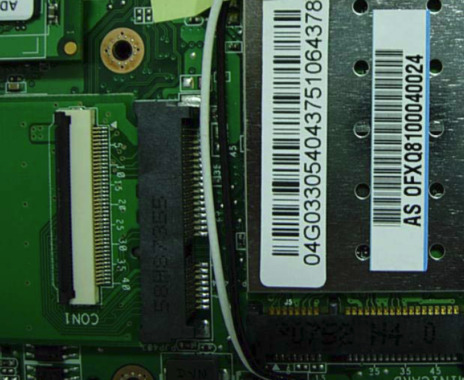
The hard-drive basically sits underneath the RAM module and an adaptor card. jkkmobile have identified the connector attaching the drive as a PCI-E to ZIF adapter, which means there's plenty of upgrade potential for a standard 1.8-inch SSD or CF adapter. They're now suggesting a production run of the cards for aftermarket modifications; it would work both on the newer 30G as well as the orignal Eee PC 900, and allow for more energy efficient and capacious solid-state storage to be used.
Reports coming in from Asia, though, are apparently suggesting that ASUS have changed the internal connector design for the black Linux version of the Eee 901. While the XP version still uses a ZIF connector, the Linux version does not and as such would be incompatible with any adaptor produced.