

Android 2.0 Donut Gets Eee PC Netbook Install Hack [Video]
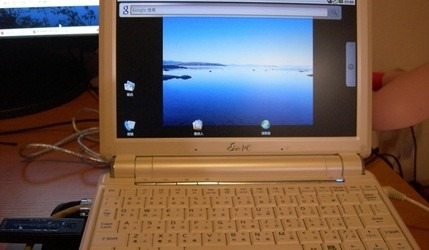
The plans of many official Android-based netbooks and Smartbooks may be on hold as companies tentatively measure the market, but if you're desperate for a blast of Google's open-source OS on your budget ultraportable then there are certainly ways to do it yourself. The latest tutorial we've spotted comes courtesy of UMPC Fever, who have put the latest build of Android OS 2.0 Donut onto their Eee PC.Video demos after the cut
The actual install process is relatively straightforward, with 2.0 Donut being loaded from a USB stick (which also means this doesn't have to use a netbook donor system, but could be your favorite notebook, desktop or UMPC device). It relies on a specially customized version of the OS, which has been suitably tweaked to work with x86 processors such as the Eee PC's Intel Atom chip.
As you might expect, not everything works quite as it should. WiFi, trackpad, battery status and screen brightness are all reportedly okay, but Bluetooth and the webcam aren't playing ball so far. Still, if you've a spare netbook lying around, and you fancy going where right now ASUS and Acer don't seem to dare, this tutorial may be for you.
Installation video:
Overview video: