

Ambient Clock Synchs With Your Google Calendar
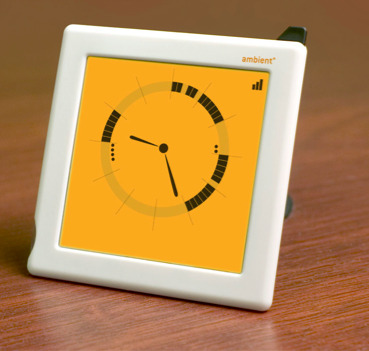
Your current clock simply tells you the time, but the Ambient Clock expresses your whole schedule through its unique visual language. Rather than reading just numbers, the Ambient Clock displays something more akin to a visual diagram of your schedule. The clock is synched with your Google Calendar and receives updates via Ambient's nationwide wireless network.
This is a great concept that allows you to quickly and easily grasp your entire schedule for the day at one glance. The wireless connection also means that there are no cables to deal with, making it very convenient and portable. Test it out for yourself at their site.
Google Ambient Clock [Via: TechieDiva]