

Kindle Paperwhite VS Colorsoft Review (2026): Screens, Battery Life, Signature Editions, And Accessories
We may receive a commission on purchases made from links.
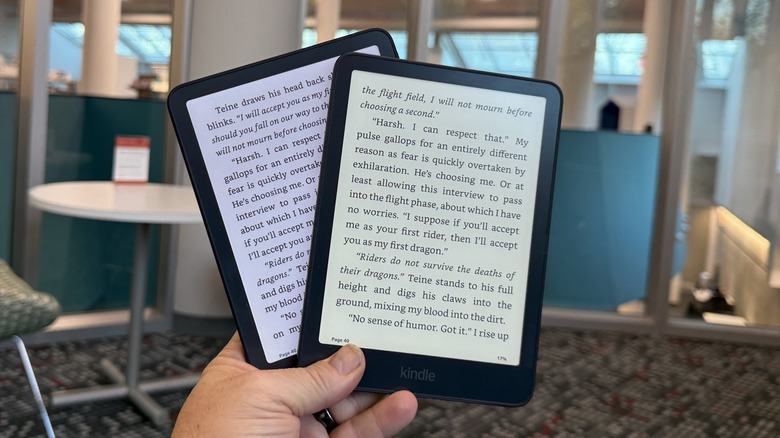
I have been carrying and reading some version of a Kindle e-reader for years. I can absolutely read on my phone, sure, but a Kindle just makes reading a lot easier. Plus, I've been using the standard Kindle all this time, so it's extremely portable. Every time I pick up my Kindle, I feel like I'm reading reports on the U.S.S. Enterprise.
So when Amazon launched its new lineup of Kindles recently, it seemed like a good time for an upgrade. Amazon sent over review units for the Kindle Colorsoft — fancy — and the Kindle Paperwhite. But I had to choose which one to use on the regular, so I thought this might be a good opportunity to take you on the same journey I went on to decide which one would be best for you.
I read a couple of different books over the past few weeks, switching between the Paperwhite and the Colorsoft, and implementing a few accessories that Amazon sent over to test as well. Here's where I ended up.
The Kindle is good at one thing
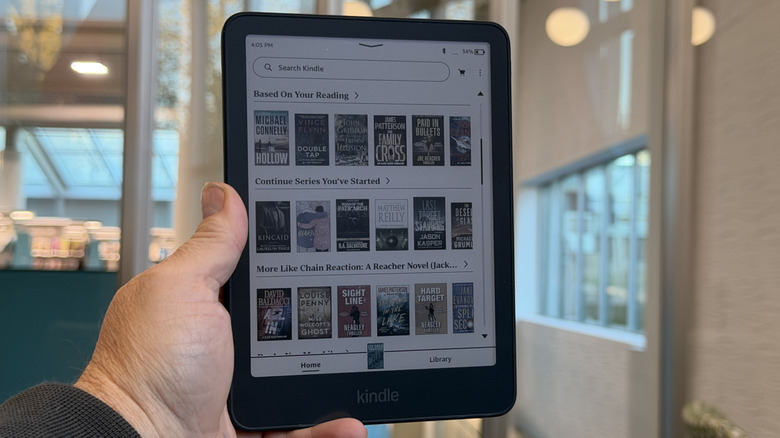
Before we dive into the differences between the two devices, we should discuss what makes a Kindle a Kindle. Put simply, a Kindle is an e ink reader that is designed to sell and display Amazon ebooks. There are certain exceptions to that rule, but for the most part, that's what you're buying. So it goes without saying that if you haven't bought into the Amazon ecosystem, there are other e-readers you can buy. I have, so I go with Kindle.
It is possible to side-load, hack, and otherwise get access to non-Amazon books. My wife gets a bunch of books from the library. Others I know have side-loaded Epub books and other formats onto theirs, but for the most part, if you're using a Kindle, you're reading Amazon's stuff. That's great for me.
The interface is good, with your library and collections of books readily available. It has good connectivity options, including Wi-Fi and Bluetooth; you can even listen to audio books if you connect a Bluetooth headset. I find the e ink display a little slow to respond sometimes, but that's mainly because I'm used to phones and tablets that use OLED or LCD displays that load in an instant. If you can find the time to chill and wind down — like when you're settling in to read — the speed isn't a distraction.
Bigger and better

One thing I'm not really a fan of is the size of both the Paperwhite and the Colorsoft. Both of them have seven-inch displays, which is larger than the base Kindle model's six-inch display. A seven-inch-display-toting-Kindle is just a little too big to easily slip into a pocket. Don't get me wrong, it's not like the base Kindle fits into your skinny jeans — far from it, but the extra "bulk" (for lack of a better word) is noticeable.
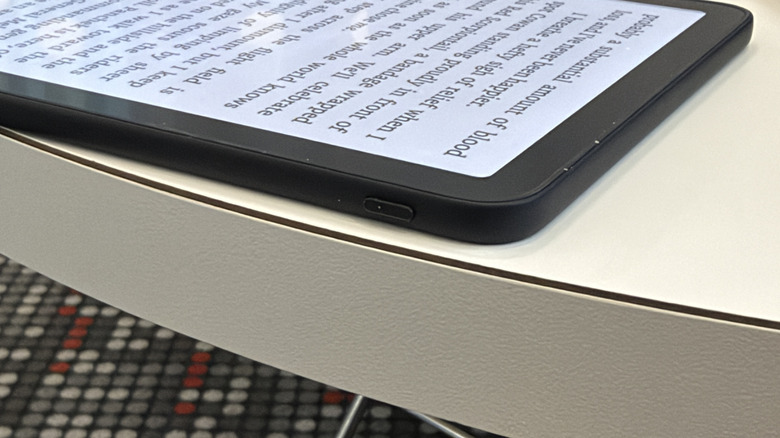
Otherwise, both the Paperwhite and the Colorsoft are similar in size and build. Refreshingly, the power button is not on the bottom of the device, a constant source of frustration for those of us using older Kindles. I have no idea why it took so long for Amazon to figure that out, but I'm happy it has been fixed.
Both devices have 16GB of internal storage, of which around 11GB is accessible to users. That's a lot of books, so you don't need to worry about running out of space, unless you churn through books like my wife (who is on number seventy for the year). I have read four, and I'm working on the fifth, so I'm very not worried.
Even more readable
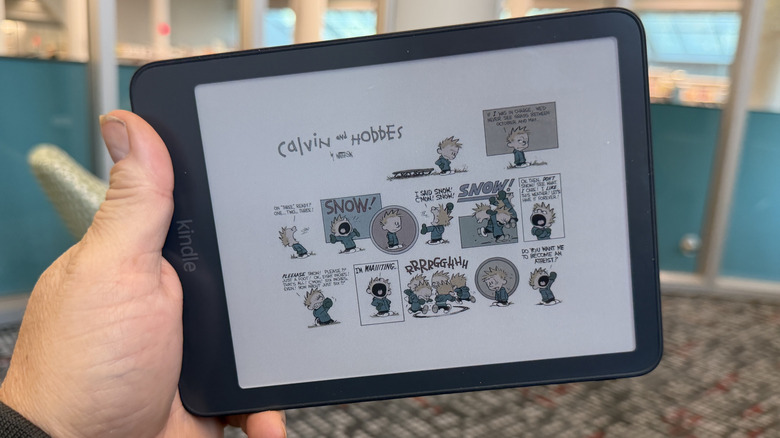
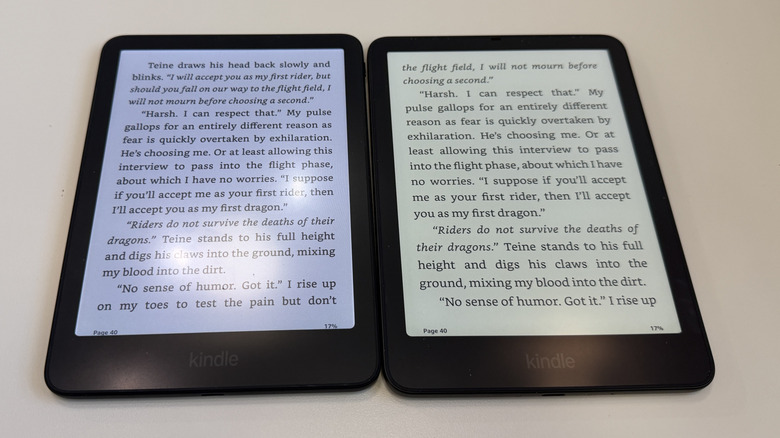
On the readability side, both the Kindle Colorsoft and the Paperwhite have very sharp screens. Amazon lists the Paperwhite resolution at 300 PPI, and I find it just a tad sharper than the Colorsoft, but then again, the Colorsoft has color. It's in the name.
The obvious use case here is for people who read comic books, which I do not. I strolled down memory lane for a bit taking in some "Calvin and Hobbes" just to relive my youth and test out the color aspects of the screen — which are very good.
The color screen on the Colorsoft has a matte quality to it, that is more dull than what you'll get on your average LCD/OLED phone screen, but it's also clearer to read in broad daylight. And you don't have phone-like battery issues — more on that in a bit. However, the color screen comes with a caveat that is important to know about.
Don't assume a colorful book will be e-published with color
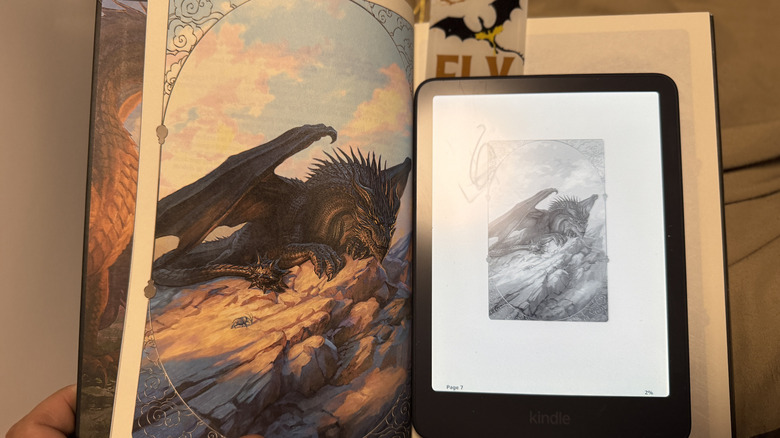
As it happens, Amazon announced these new devices right around the release of "Threshing Day" by Rebecca Yarros. This is a beautifully illustrated book about dragons that fans around the world have been patiently awaiting for some time. My wife bought the paper version of the book, because she's an avid fan, but I decided this would be the perfect vehicle to test out the Colorsoft's color screen.
Except the Kindle version of the book is not in color. The beautifully colored illustrations in the book are black and white in the Kindle version.
This is not Amazon's fault, and I don't really blame the author, or the publisher. Reddit went pretty bonkers about it, because even the version you read in the app on your phone or tablet is in black and white. Whether someone made the conscious decision to deliberately exclude color from the Kindle version to entice people to buy the paper book, or because most Kindles on the market are in black and what (so why bother?) I have no idea. I'm not really mad about it either. Given a similar choice, I may have made the same one. But be warned — if you're buying the Kindle Colorsoft specifically to be treated to full-color masterpieces of novels, you may come away disappointed, and it (probably) isn't Amazon's fault.
The Kindle Colorsoft will display color whenever the media on its screen has color data — but if the media didn't come with color in the first place, the Kindle Colorsoft won't invent its own.
Kindle accessories
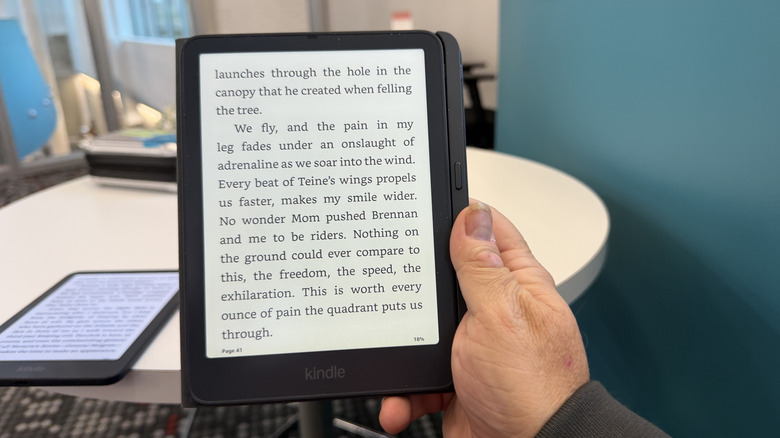
For the first time, Amazon developed a series of accessories to go with the Kindle, and it's about time. Two of the accessories are similar, so I'll cover those first. The Kindle Click is a Bluetooth-connected page turner for the Kindle. There are four buttons — two prominent ones on the front and two smaller buttons on the side. The two buttons on front turn the page forward and back. You can also reverse the buttons in the Kindle settings if you want. It's useful for if you want to prop your Kindle up and read, so you can't reach the screen easily. There are multiple Bluetooth page-turning button accessories/devices out there, but this is the first made by Amazon.
The second, similar accessory is a Kindle Page Turn Cover for the Kindle Paperwhite Signature Edition or Colorsoft Signature Edition — the main difference with the signature edition is that it has an aluminum build and pogo pin connectors in the back. The cover flips open and has two small buttons on the right side that can turn pages.
Finally, there's an Amazon Charging Stand that also only works with the Signature Editions of the Kindle because of those same pogo pins. Of the three, I found the Page Turn Cover to be the most useful because I generally hold my Kindle while I read. Also, I've only been using the Kindles for a few weeks, so I literally have not yet had to charge either one.
Two other notable improvements
Battery life on both devices is fantastic, as we've come to expect on Kindles. It's the kind of device you can toss into a bag and not worry about whether it's charged or not, which is a lovely experience. Imagine picking up an electronic device and not knowing or caring if it has been plugged in lately. It's almost mind boggling.
Speaking of the battery, both the Paperwhite and the Colorsoft have user-replaceable batteries. If you have a base version of the kindles, the back cover can be pried off with a fingernail or spudger tool. The Signature Editions have aluminum backplates and two tiny screws on the bottom, near the USB-C port, that need to be removed first.
Also, both Kindles are IPX8 water resistant, so you can take them in the bathtub with you if you want. IPX8 is an upgrade over the base Kindle. There's no dust resistance, but I've taken my base Kindle onto the beach before with no issues, so you can probably do that, but Amazon doesn't guarantee anything in that regard.
Which should you choose?
Overall, the Kindle that you choose will depend largely on your use case. Personally, since I rarely read anything that requires color, the Kindle Paperwhite is perfect for me. The battery lasts longer on the black and white screen than the Colorsoft, but since both last at least a month (Amazon advertises twelve weeks for the Paperwhite and eight weeks for the Colorsoft), that's really a non-issue. I just don't need color so there's no point in spending the extra cash.
If you are a frequent reader of color material, then the Colorsoft is great, but also more expensive. The Kindle Paperwhite starts at $199.99 (as sold by Amazon, of course), while the Kindle Colorsoft starts at Kindle Colorsoft starts at $289.99.
The Kindle has always been a great e-reader with a thriving content ecosystem. The library and settings are both laid out very intuitively, so there won't be any trouble figuring out how to buy or read books. But again, that's about all they're good for. I love carrying my entire library in my pocket. I could read on my phone or tablet, but then I'd have to contend with battery life issues. The Kindle gives me all of that with zero battery concerns, and that's why I carry it.
I've also enjoyed the upgraded experience. I wouldn't hate using a basic Kindle, but the Paperwhite is definitely my jam. If you're an avid reader, I can't recommend it more.